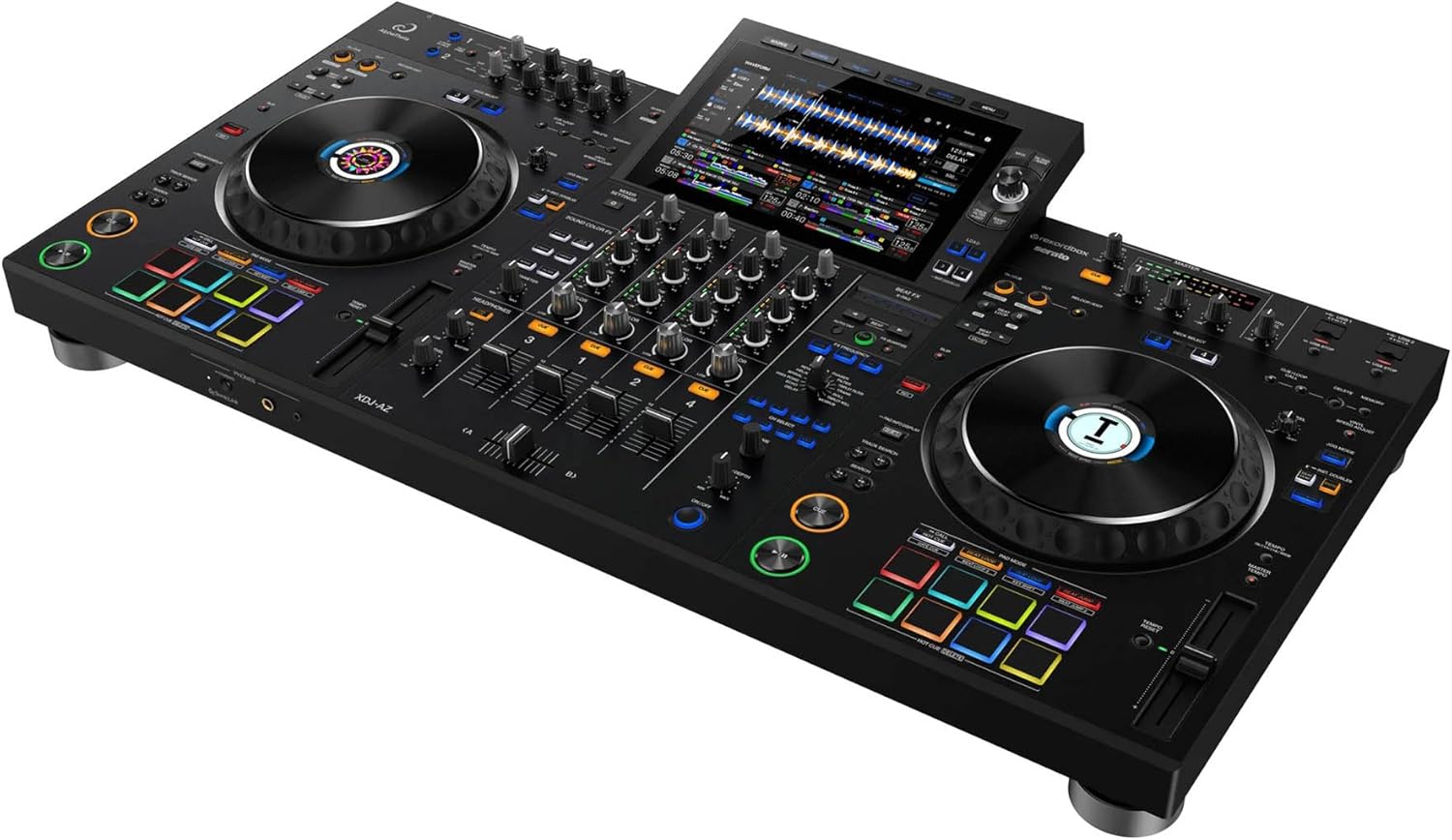
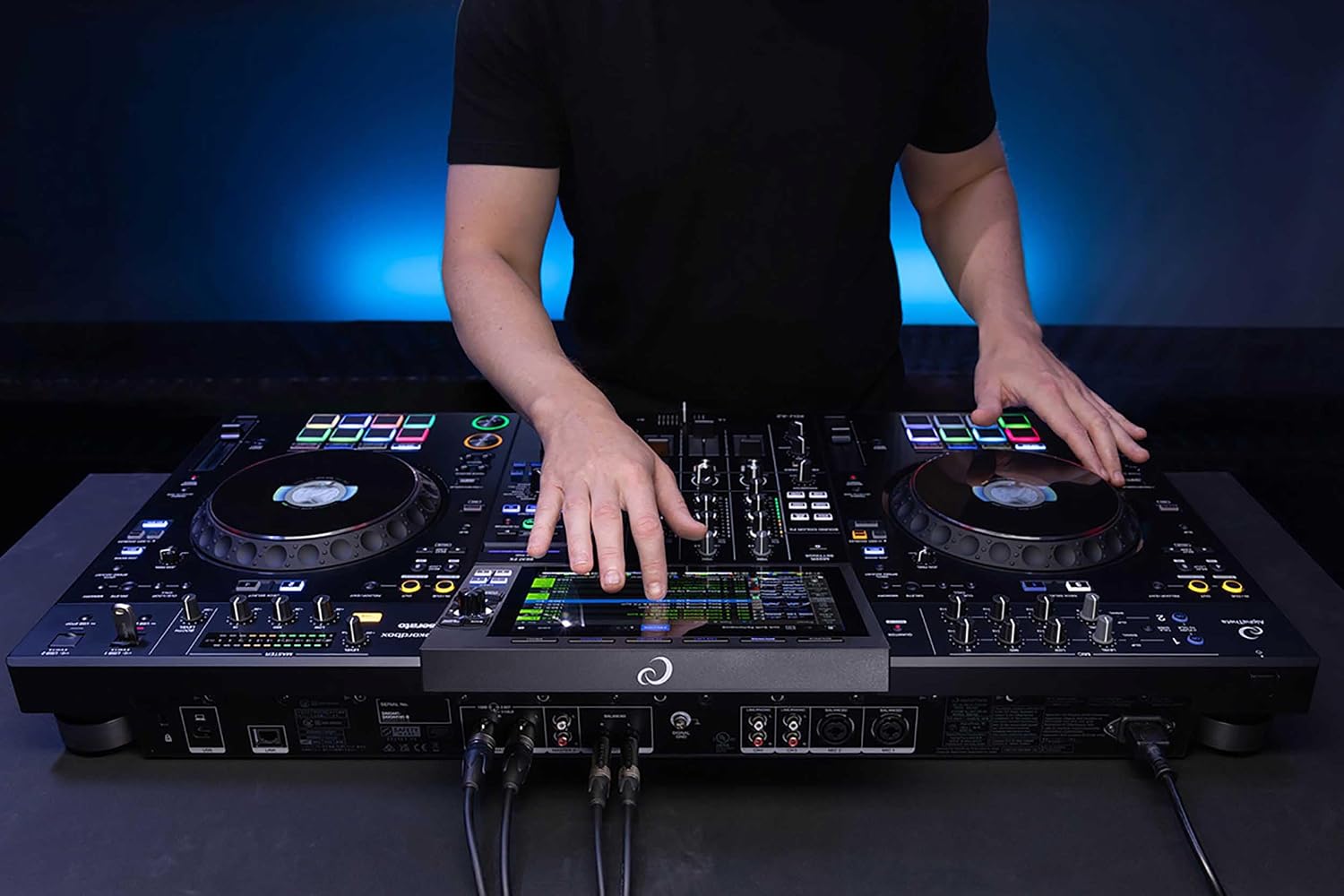
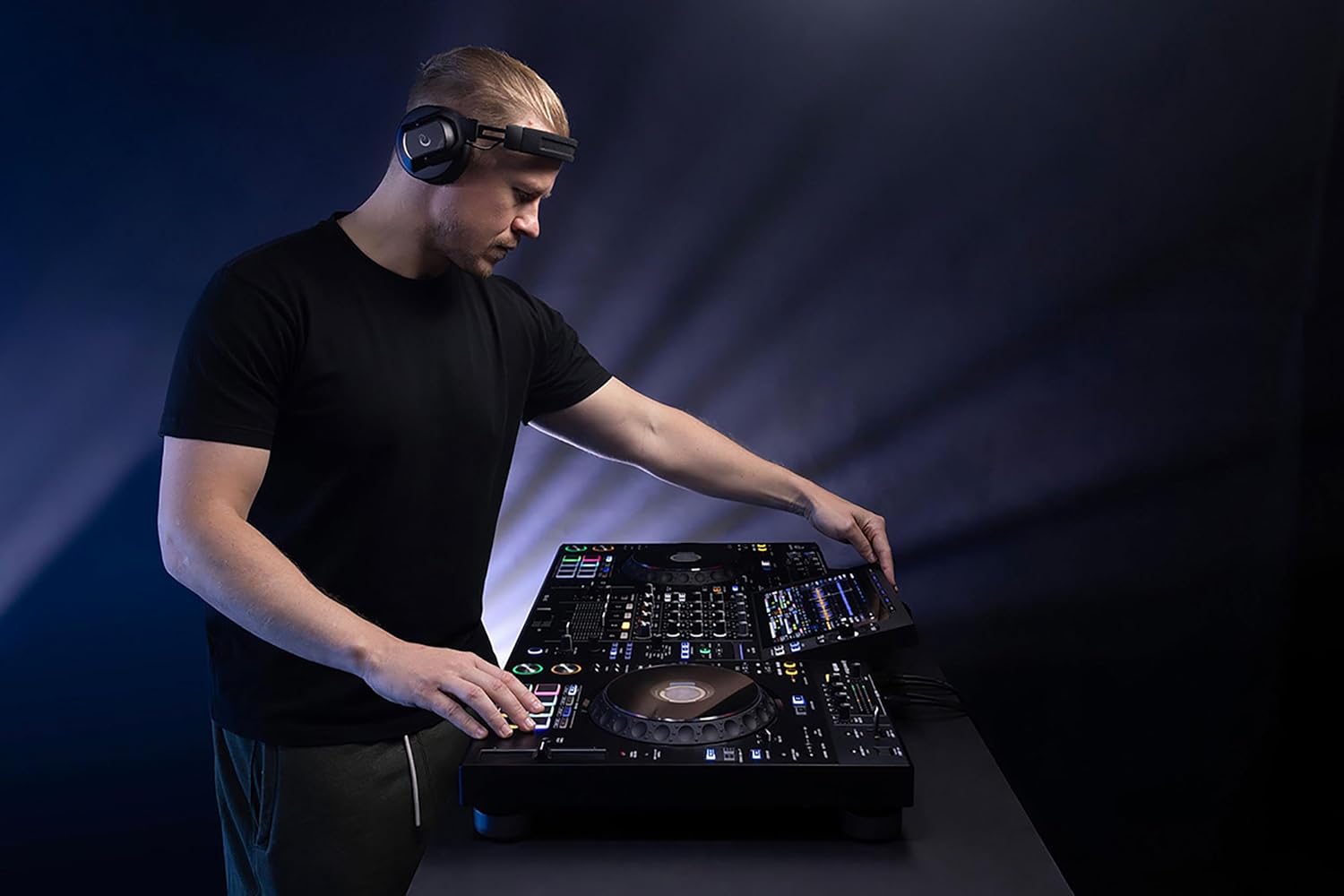
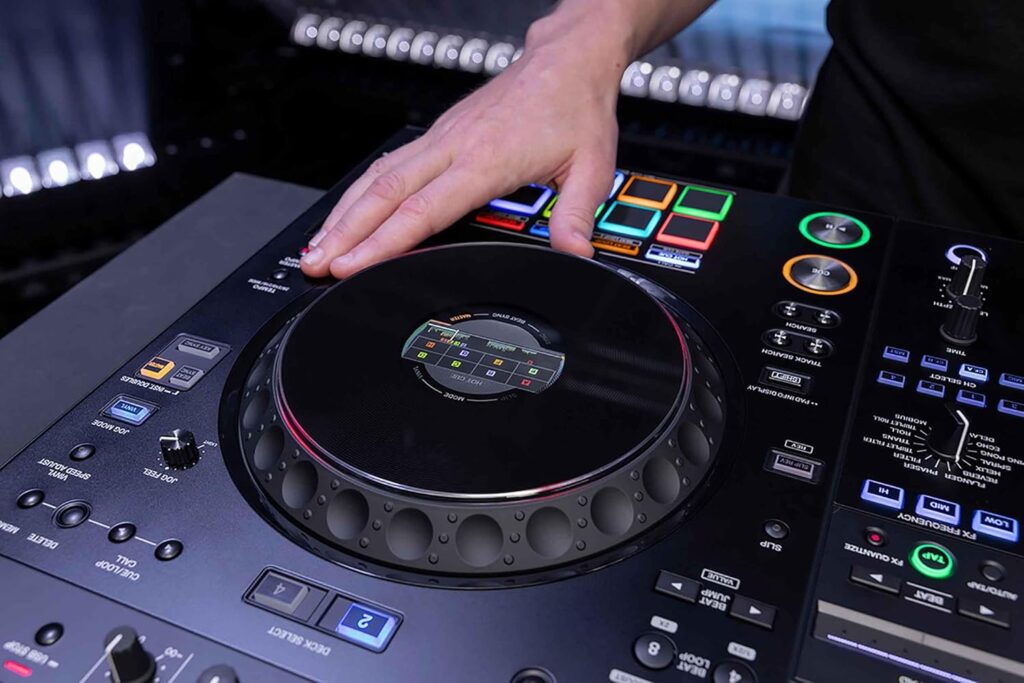
The AlphaTheta XDJ-AZ is a flagship 4-channel standalone DJ controller designed for professional DJs who want a club-style experience without having to carry separate media players and a mixer.
From its massive touchscreen to its familiar professional layout, nearly every design decision feels aimed at reducing friction between the DJ and the music.
Is it expensive?
Absolutely.
Is it overkill for someone who DJs once every three months at their cousin's barbecue?
Also yes.
But if your goal is professional performances, mobile events, festivals, or serious home practice, this controller delivers almost everything you'd expect from a premium setup in one integrated unit.
Specs
Weight: 30 pounds
Dimensions: 47.01 x 24.02 x 14.02 inches
Number of Channels: 4
Jog Wheel: 206 mm
Wireless system: Bluetooth ver. 5.3
Pros
Excellent Professional Layout
True Standalone Operation
Four Channels
Outstanding Display
Premium Build Quality
Excellent Connectivity
Cons
Premium Price
Large Footprint
More Than Beginners Need
If you’ve spent any time looking for the best standalone DJ controller, you’ve probably stumbled across the AlphaTheta XDJ-AZ. It’s impossible to miss. It’s big, it’s beautiful, and it’s priced like it believes inflation is merely a suggestion.
When I first started researching the XDJ-AZ, my initial reaction was simple:
“This thing had better make coffee for this price.”
Sadly, it doesn’t.
But after digging into its features, comparing it with competing flagship systems, and evaluating who it’s built for, I came away understanding exactly why so many professional DJs are excited about it.
The AlphaTheta XDJ-AZ isn’t trying to be another controller.
It’s trying to replace your entire DJ booth.
Features
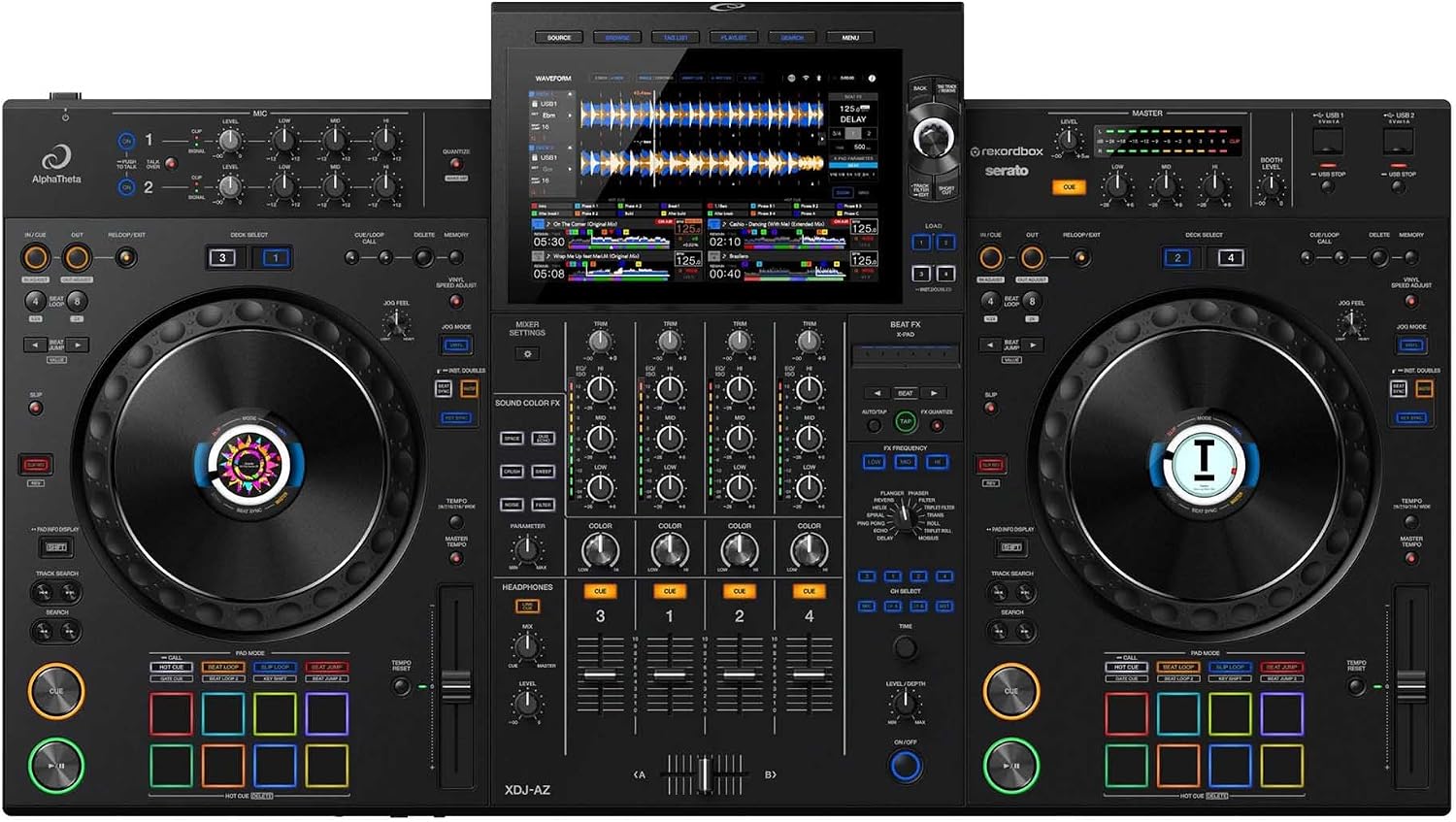
Professional 4-Channel Mixing
One of the biggest advantages is the ability to control four independent channels.
That means I can imagine seamless transitions between decks, creative mashups, acapella layering, and adding extra tracks without constantly swapping sources.
If you’re already comfortable thinking beyond two decks, this feature opens up a completely different style of mixing.
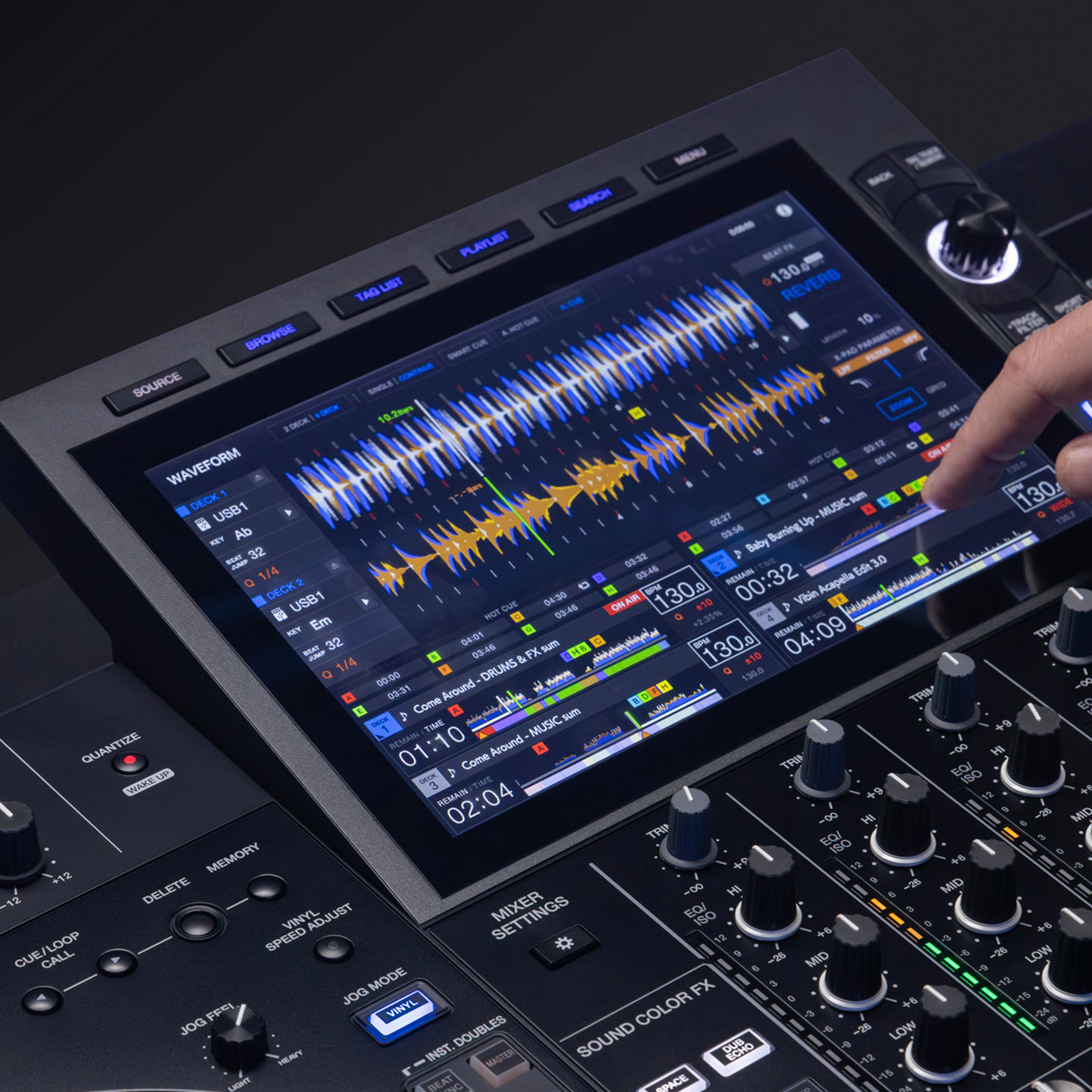
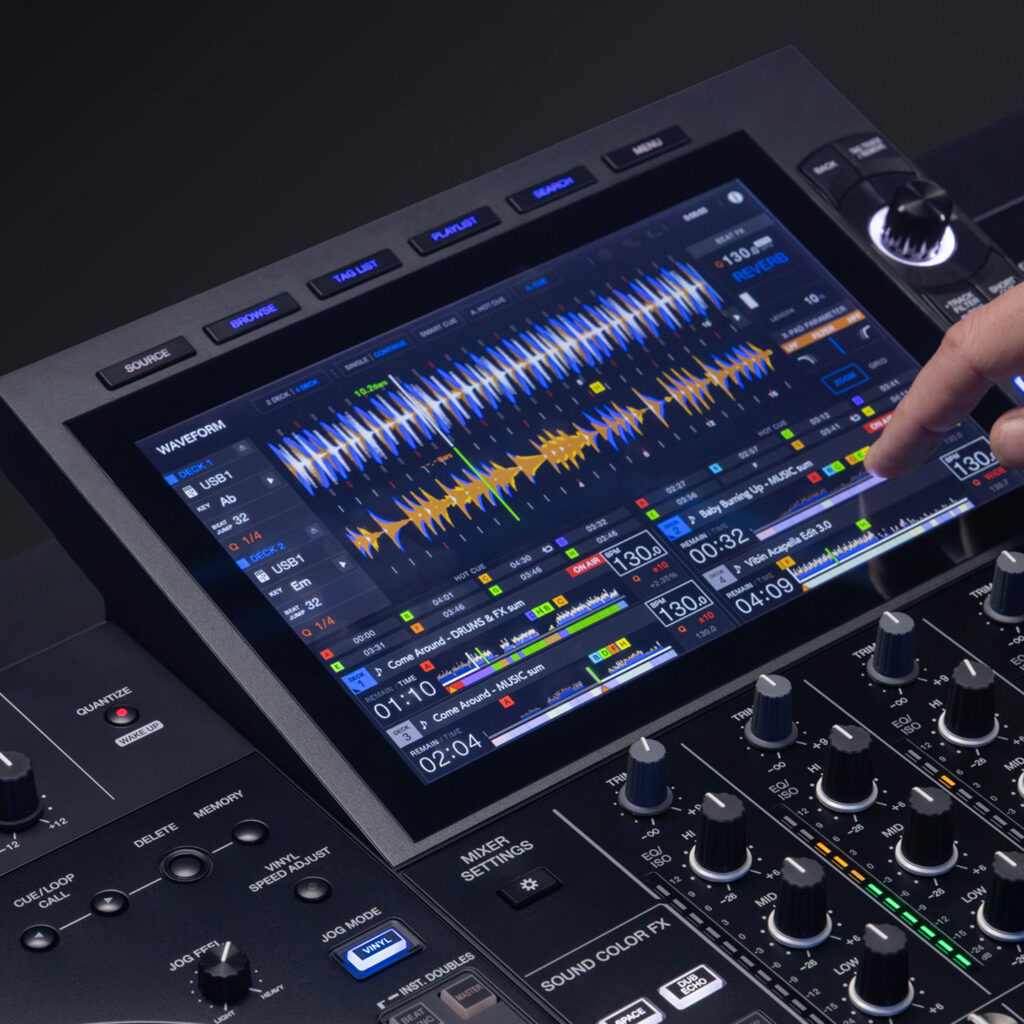
Large High-Resolution Touchscreen
The touchscreen is one of the stars of the show.
Large waveforms. Track browsing. Performance information. Playlists. Settings.
Everything lives where it should.
Instead of feeling like I’m navigating a spreadsheet from 1997, the interface looks modern, intuitive, and designed for performance rather than frustration.
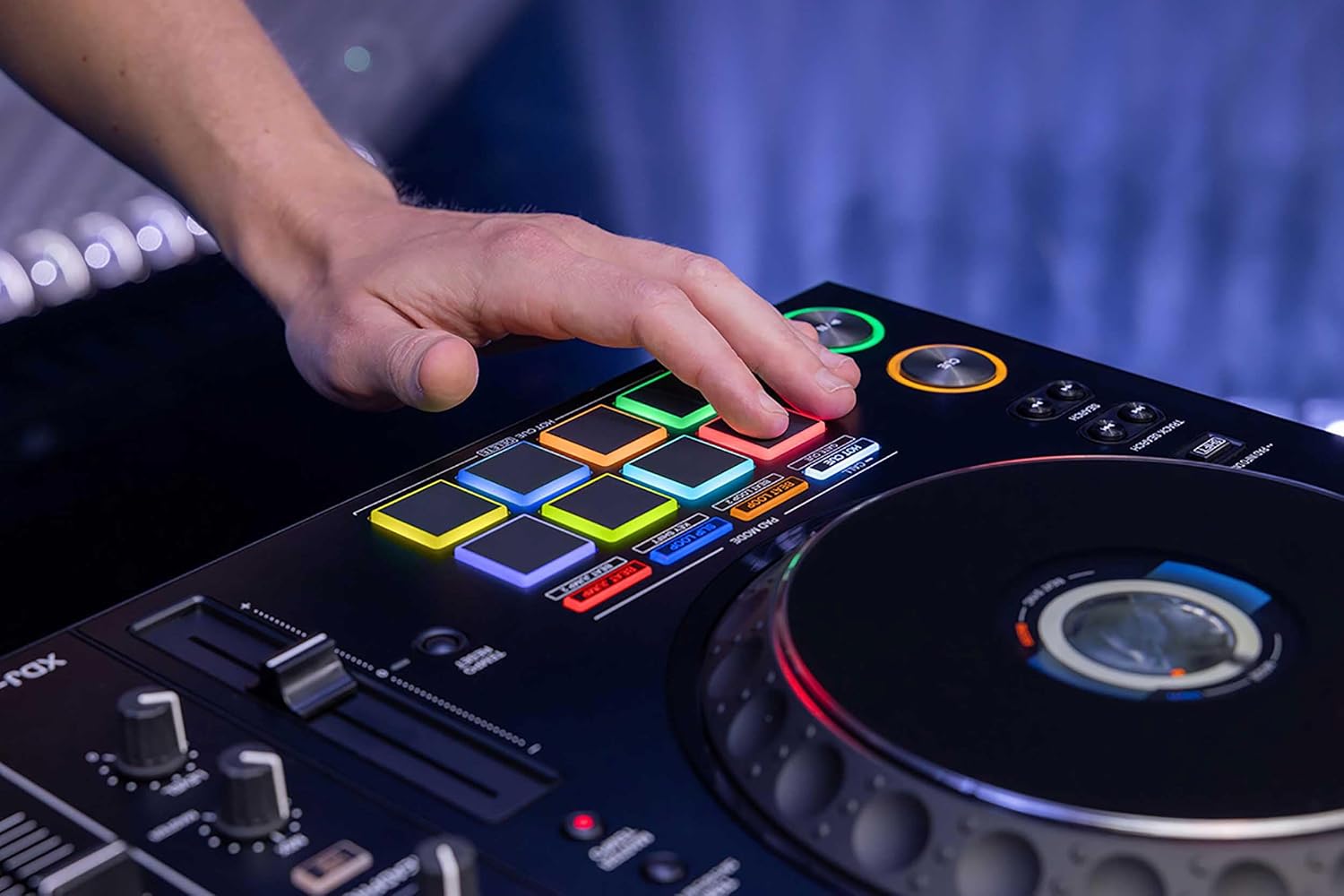
Club-Style Layout
One thing I appreciate is how closely the layout resembles professional club equipment.
That means less relearning.
Less awkward button hunting.
More muscle memory.
If you’ve played on modern club gear before, you’ll probably feel at home very quickly.
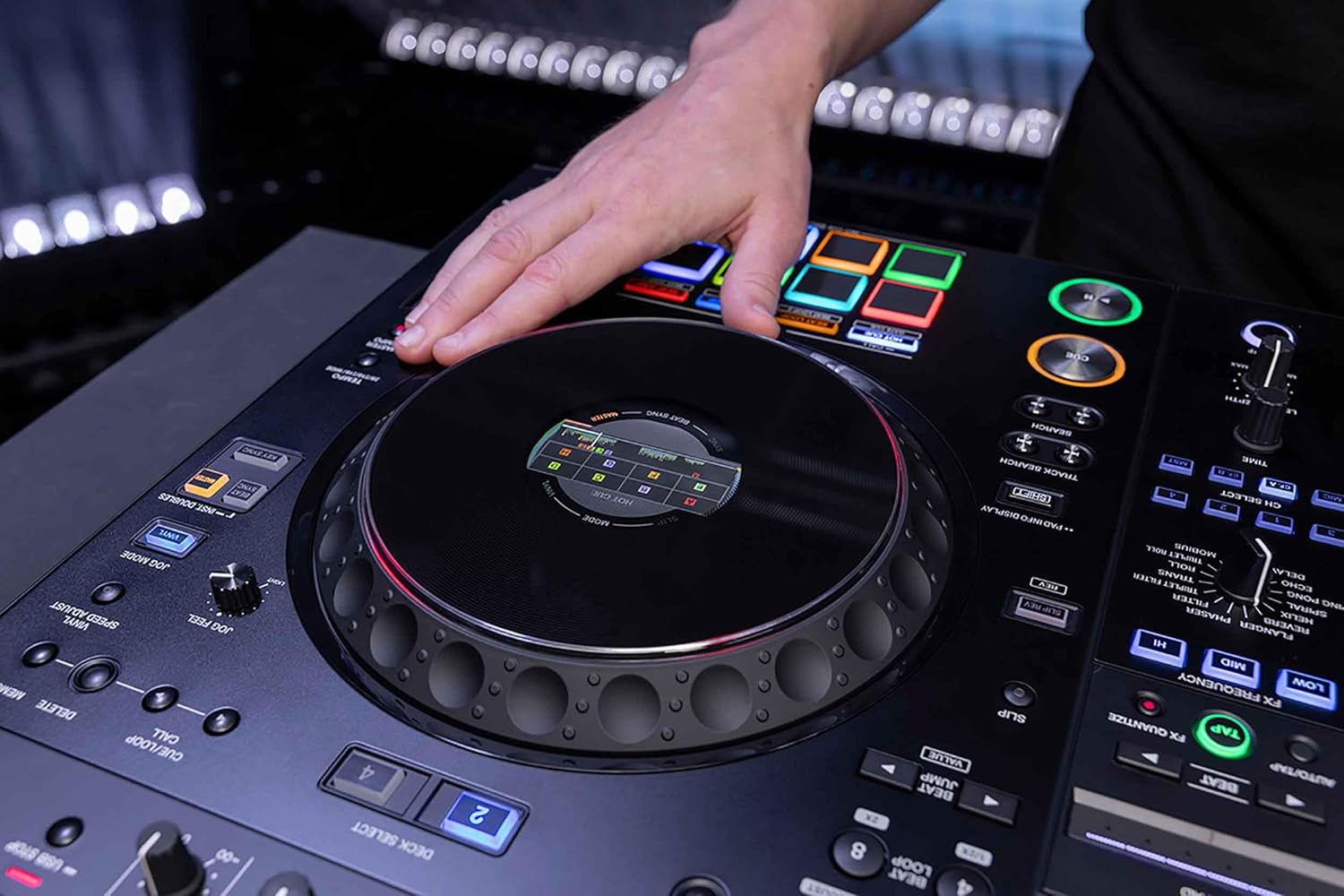
Professional Jog Wheels
The jog wheels are full-sized and designed for accurate scratching, cueing, and pitch adjustments.
They’re responsive without feeling overly sensitive.
More importantly, they simply look fantastic.
Sometimes confidence starts with gear that makes you smile before you even hit Play.
Standalone Performance
Perhaps my favorite feature is that you don’t need a laptop sitting beside you like an emotional support computer.
Load your music.
Browse.
Mix.
Perform.
That’s incredibly freeing.
Less equipment also means fewer cables waiting for the perfect opportunity to embarrass you during a live set.
Connectivity
The XDJ-AZ includes professional connectivity suitable for clubs, events, studios, and mobile DJs.
You’ll find balanced outputs, microphone support, USB connectivity, and networking options that fit naturally into professional workflows.
Build Quality
The first impression is simple:
This thing looks expensive because it is.
The chassis appears solid, the controls are thoughtfully spaced, and nothing about it screams “budget.”
This is equipment designed to survive regular transport and frequent performances—not a controller that starts rattling after two gigs and one slightly aggressive road case.
Performance
Performance is where flagship gear earns its reputation.
The XDJ-AZ is built for reliability.
Large music libraries.
Fast browsing.
Professional effects.
Multiple channels.
Complex mixes.
Instead of getting in the DJ’s way, the controller focuses on staying invisible—which is exactly what good equipment should do.
The audience should remember your set.
Not the moment your controller decided it needed a coffee break.
Who Is This Controller For?
Perfect For
Professional DJs
If DJing is your career, this controller makes a compelling case.
Mobile DJs
Wedding DJs, corporate event DJs, and private event professionals will appreciate having an all-in-one solution.
Club DJs
The familiar workflow makes transitions between home practice and club performances much easier.
Advanced Hobbyists
If DJing is your passion rather than your profession, this could easily become your dream setup.
Who Should Skip It?
Honestly?
Not everyone needs a flagship controller.
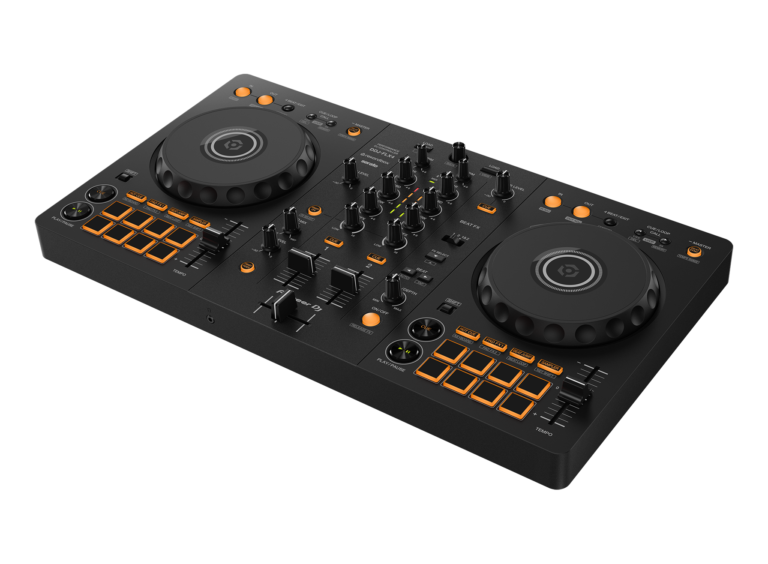
If you’re buying your very first controller, there are significantly less expensive options that will teach the same fundamentals like the Pioneer DJ DDJ-FLX4.
Buying the XDJ-AZ as your first controller is a bit like learning to drive in a luxury sports car.
Possible?
Sure.
Necessary?
Not really.
Pros
Excellent Professional Layout
Feels familiar for experienced DJs.
True Standalone Operation
No laptop required for everyday performance.
Four Channels
Ideal for creative mixing.
Outstanding Display
The touchscreen significantly improves workflow.
Premium Build Quality
Designed for serious performers.
Excellent Connectivity
Ready for professional environments.
Cons
Premium Price
There’s no gentle way to say it.
This controller costs real money.
Large Footprint
You’ll need plenty of desk space.
It isn’t exactly apartment-friendly.
More Than Beginners Need
Many newcomers won’t use half of its capabilities for quite some time.
Ratings
Build Quality
⭐⭐⭐⭐⭐ (5/5)
Premium construction that inspires confidence.
Ease of Use
⭐⭐⭐⭐☆ (4.5/5)
Feature-rich but approachable once you learn the workflow.
Professional Performance
⭐⭐⭐⭐⭐ (5/5)
Built with professional DJs in mind.
Mobile DJ Use
⭐⭐⭐⭐⭐ (5/5)
Excellent all-in-one solution.
Beginner Friendly
⭐⭐⭐⭐☆ (4/5)
Capable, but more advanced than most beginners require.
Value for Money
⭐⭐⭐⭐☆ (4.7/5)
Expensive, but justified if you’ll use its capabilities regularly.
Overall Rating
⭐⭐⭐⭐⭐ (4.7/5)
Final Verdict
The AlphaTheta XDJ-AZ isn’t a controller for everyone—and that’s exactly why it stands out.
It isn’t chasing the entry-level market or trying to be the cheapest option on the shelf. Instead, it focuses on delivering a professional, standalone experience that closely mirrors what many DJs encounter in clubs and at major events.
What impresses me most isn’t any single feature. It’s how all the pieces come together: the spacious touchscreen, four-channel workflow, standalone operation, premium build quality, and club-inspired layout create a system designed to stay out of your way so you can focus on your performance.
Yes, it’s a significant investment. But for DJs who perform regularly, want to simplify their setup, or are ready to step into professional-grade equipment, the XDJ-AZ makes a strong case for itself.
If you’re searching for one of the best standalone DJ controllers available today, the AlphaTheta XDJ-AZ deserves a place at the top of your shortlist. It won’t magically improve your transitions or teach you how to read a crowd—but it will give you a capable, polished platform that lets your skills take center stage. And unlike your uncle’s karaoke machine, it probably won’t interrupt your best mix with an unexpected surprise.
Frequently Asked Questions
Is the AlphaTheta XDJ-AZ a standalone DJ system?
Yes.
One of my favorite things about the XDJ-AZ is that it works without a laptop. Simply connect a USB flash drive, SD card (if supported by your media setup), or compatible music source, load your tracks, and start performing.
That standalone workflow makes setup faster, cleaner, and far less stressful at gigs.
Who is the AlphaTheta XDJ-AZ designed for?
In my opinion, the XDJ-AZ is ideal for:
Professional DJs
Club DJs
Mobile DJs
Wedding DJs
Event companies
Serious home enthusiasts
DJs upgrading from entry-level controllers
If you’re just learning how to DJ, this system is probably more than you need. But if you’re performing regularly, it offers room to grow for years.
Does the XDJ-AZ require a laptop?
No.
That’s one of its biggest advantages.
You can perform entirely from USB media using exported rekordbox playlists, giving you a clean, reliable setup without worrying about laptop cables, software updates, or unexpected notifications appearing in the middle of your set.
If you prefer, you can also connect a computer for software-based workflows.
Does the AlphaTheta XDJ-AZ work with rekordbox?
Yes.
The XDJ-AZ integrates seamlessly with rekordbox, making it easy to prepare playlists, cue points, loops, beat grids, and performance settings before your event.
If you’re already familiar with the rekordbox ecosystem, you’ll feel right at home.
Can I stream music directly on the XDJ-AZ?
Streaming support depends on the firmware version and the music services currently supported by AlphaTheta and rekordbox.
Compatible services may change over time, so I always recommend checking the latest compatibility information before relying on streaming during an important performance.
Is the XDJ-AZ suitable for club performances?
Absolutely.
In fact, that’s exactly where this system shines.
The professional layout closely resembles the equipment you’ll find in many clubs, making it an excellent practice platform for DJs who want to transition confidently to club-standard gear.
Does the XDJ-AZ support four-deck mixing?
Yes.
The four-deck capability gives you significantly more creative flexibility than traditional two-deck systems.
Whether you’re layering acapellas, instrumentals, loops, or creating complex transitions, having four decks opens up an entirely different style of performance.
Are the jog wheels similar to club CDJs?
Very much so.
The jog wheels are large, smooth, and highly responsive.
Whether I’m beatmatching, scratching, nudging tracks into place, or making subtle tempo adjustments, they feel remarkably close to the professional players used in clubs.
Does the XDJ-AZ include professional effects?
Yes.
You’ll have access to a wide range of professional performance effects that allow you to add energy, creativity, and personality to your mixes.
From subtle transitions to dramatic build-ups, the effects section offers plenty of room to experiment without becoming overwhelming.
Can I connect microphones?
Yes.
The XDJ-AZ includes microphone inputs suitable for:
Wedding DJs
Mobile entertainers
Corporate events
Karaoke hosts
MCs
Having quality microphone controls built in makes the system much more versatile for professional work.
Is the AlphaTheta XDJ-AZ portable?
Portable? Yes.
Lightweight? Not exactly.
The XDJ-AZ is designed to be transported between gigs, but it’s still a substantial piece of equipment. I strongly recommend investing in a quality flight case or padded carrying case to protect your investment.
Think of it like moving a grand piano—not impossible, but you’ll appreciate good handles.
Can I record my DJ sets?
Yes.
Depending on your recording method and media configuration, recording your performances is straightforward.
I record as many practice sessions as possible because listening back always teaches me something I didn’t notice while mixing live.
Is the AlphaTheta XDJ-AZ worth the money?
For serious DJs, I believe it is.
It’s certainly not inexpensive, but you’re paying for a professional standalone system that combines premium hardware, club-style workflow, advanced mixing capabilities, and exceptional reliability.
If DJing is your career or a serious passion, it’s an investment that makes sense.
How does the XDJ-AZ compare to a traditional DJ controller?
The biggest difference is independence.
With most controllers, your laptop does much of the work.
With the XDJ-AZ, the hardware becomes the performance center.
That means:
Faster setup
Fewer cables
Less reliance on a computer
A more professional workflow
Greater confidence during live performances
After using standalone gear, it’s surprisingly difficult to go back.
Who should buy the AlphaTheta XDJ-AZ?
I’d confidently recommend it to:
Professional DJs
Touring DJs
Mobile entertainers
Wedding DJs
Club performers
DJs upgrading from controllers
Anyone wanting a premium standalone experience
If you’re looking for equipment you’ll still enjoy using several years from now, the XDJ-AZ deserves serious consideration.
 Skip to content