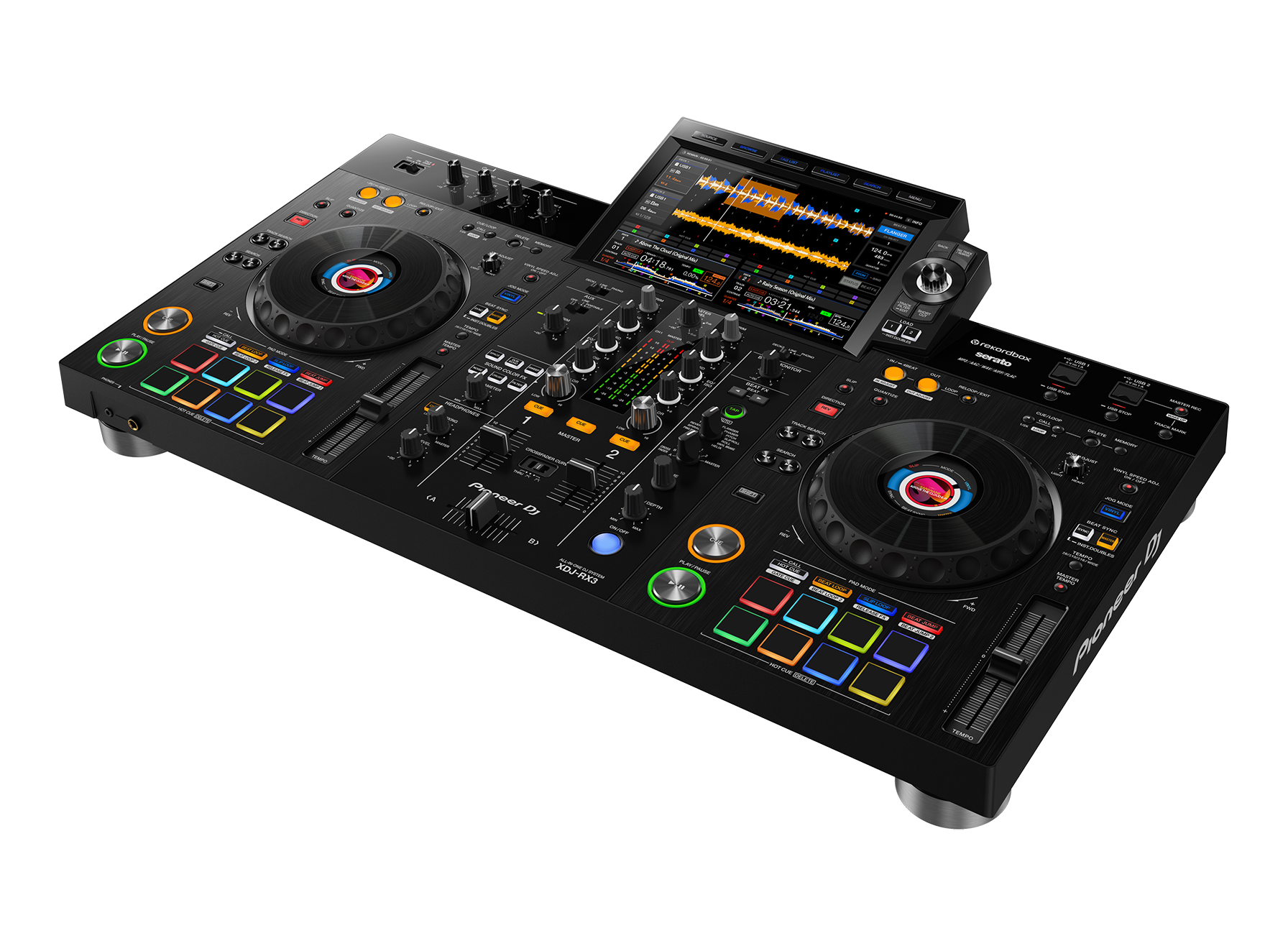
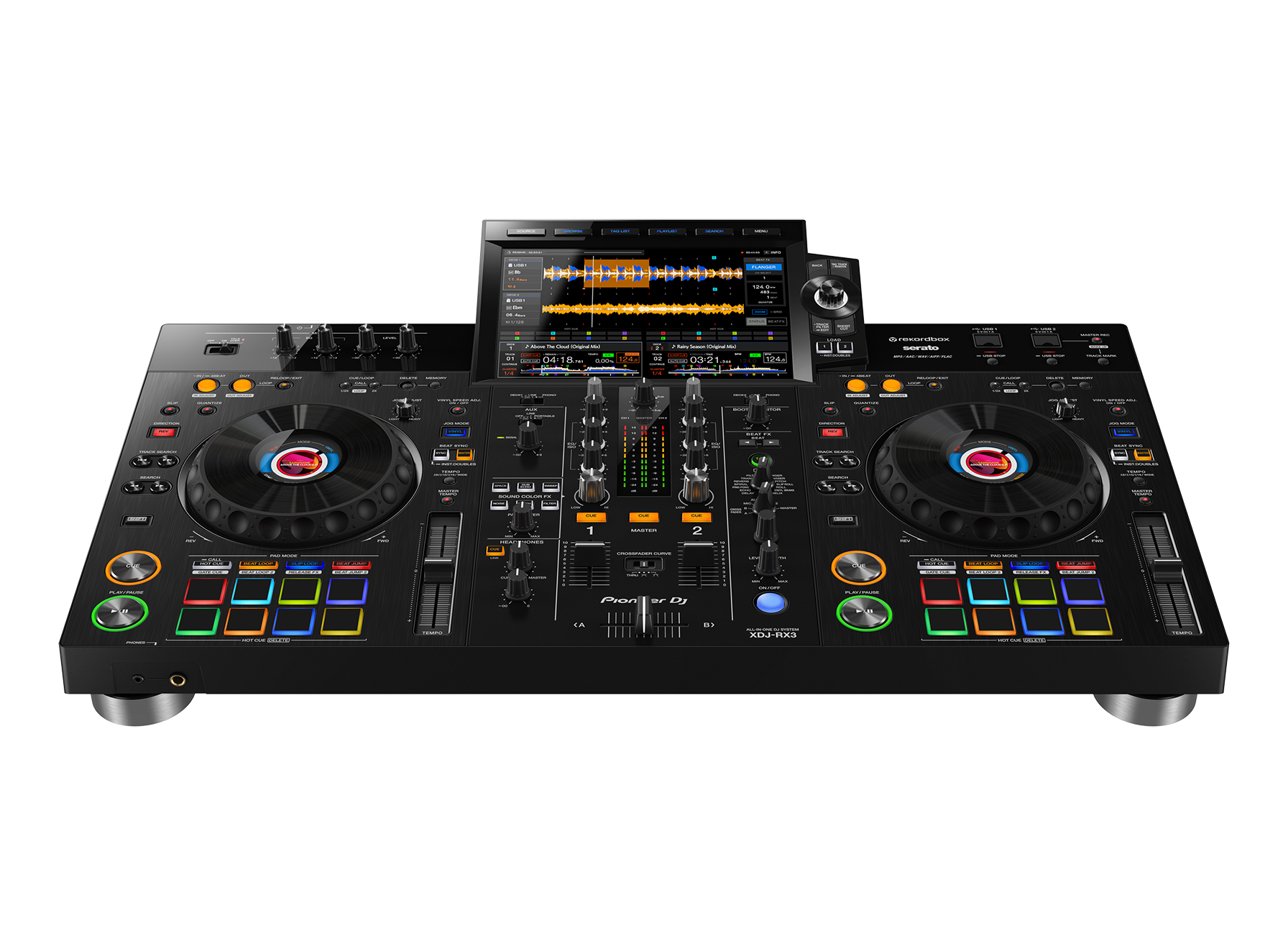
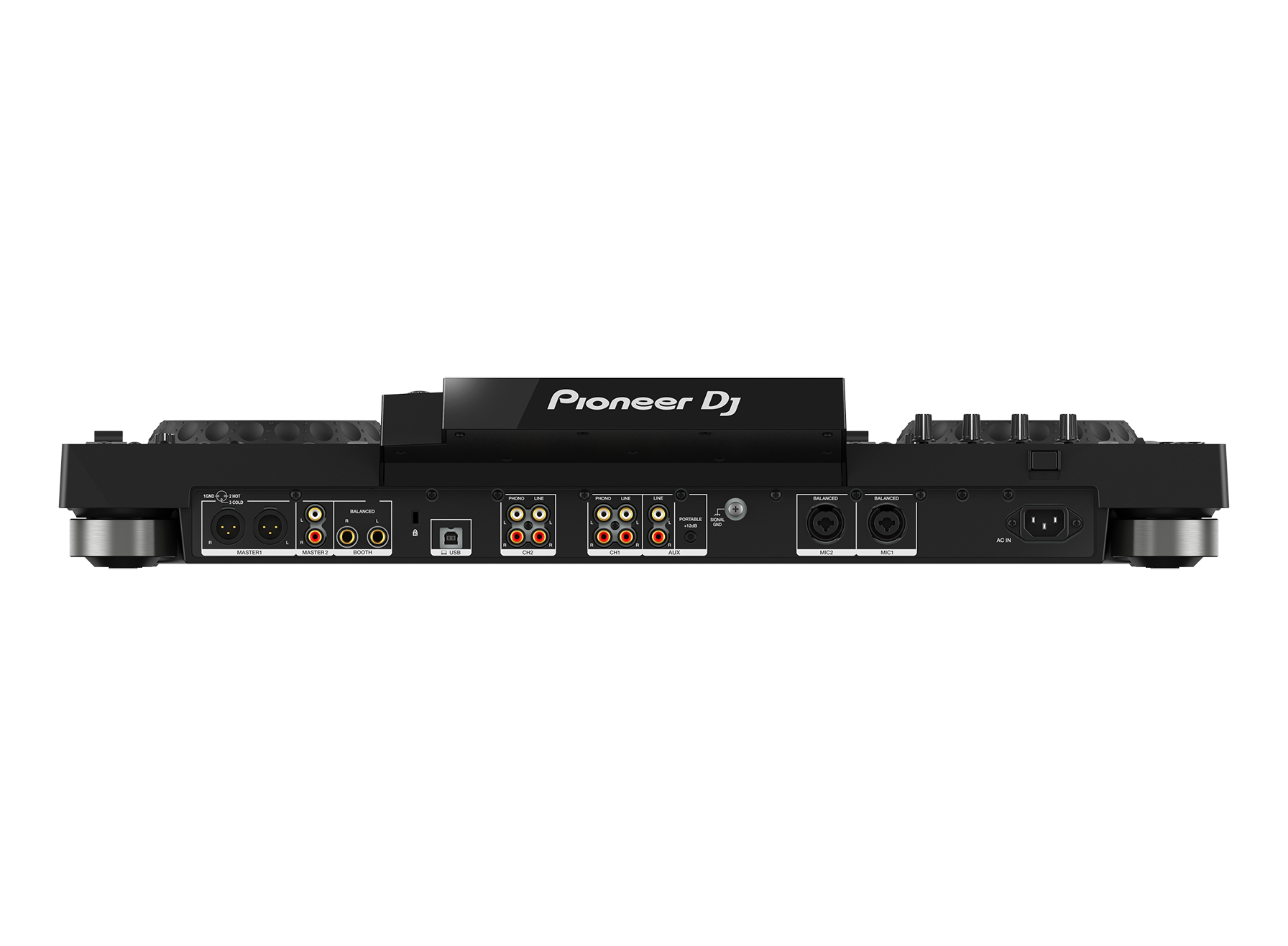
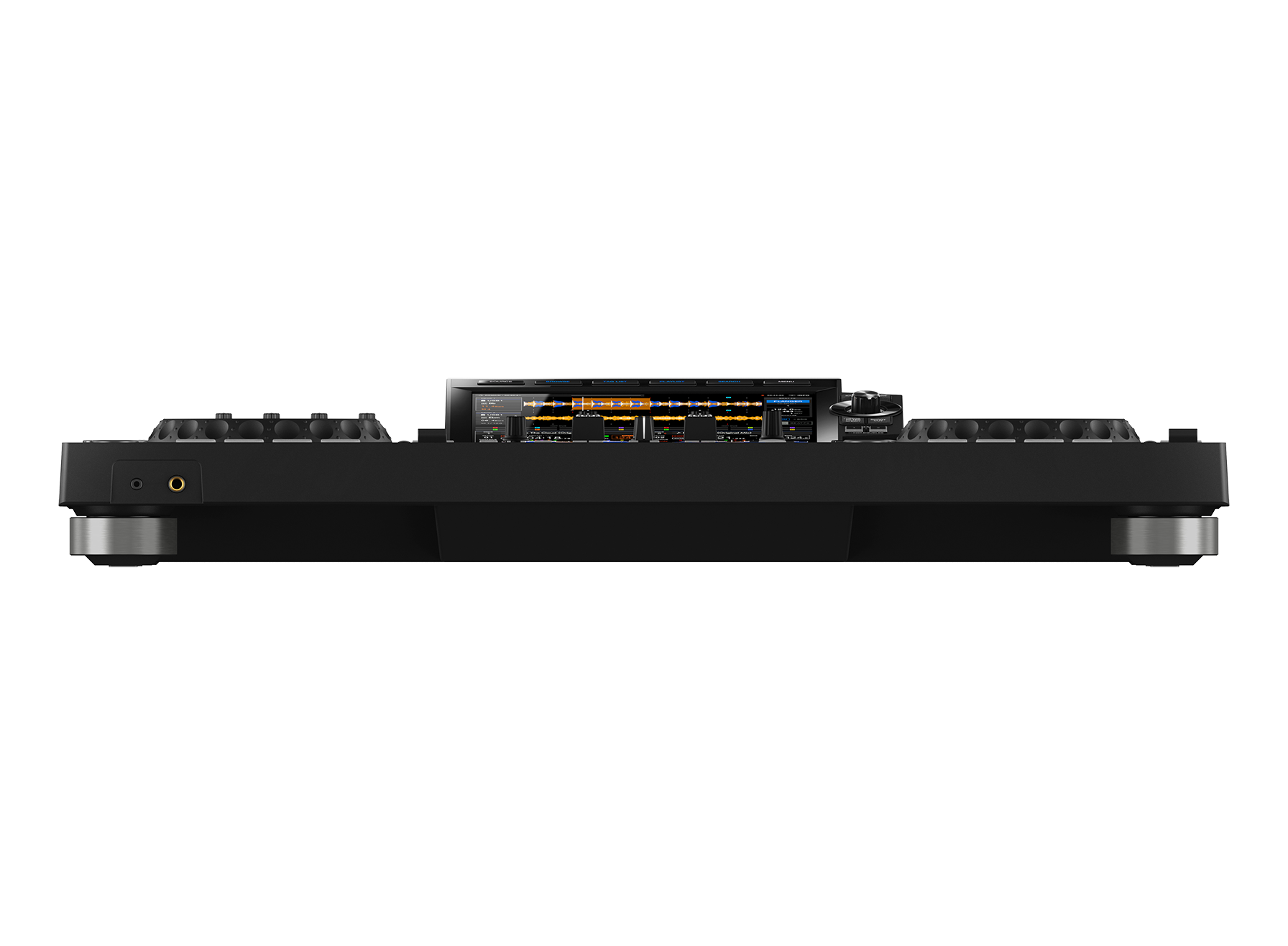
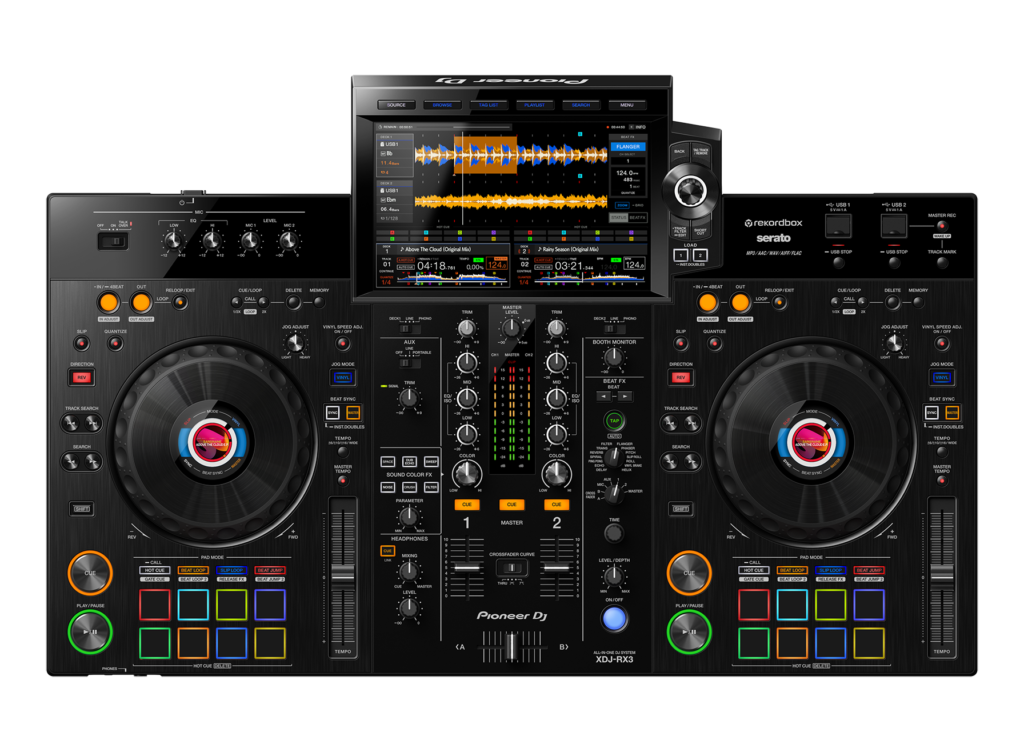
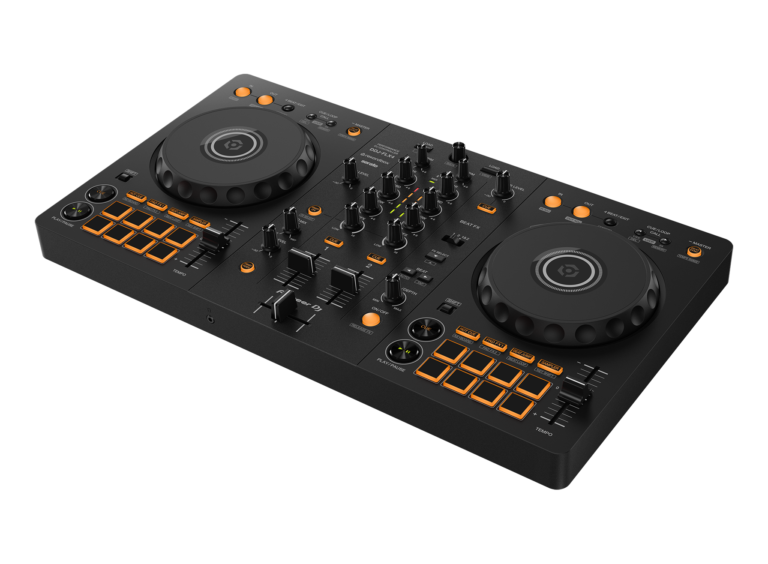
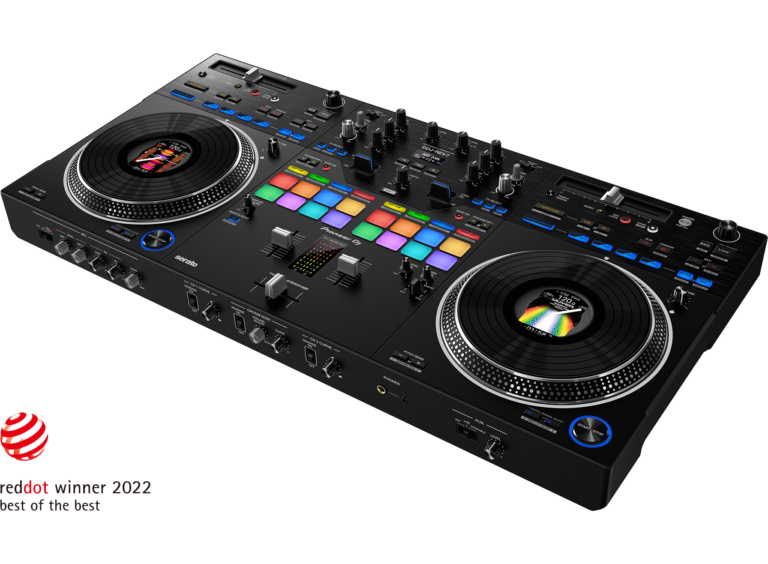
The Pioneer DJ XDJ-RX3 is a premium 2-channel standalone DJ system designed for serious hobbyists, mobile DJs, and professionals who want a club-style experience without relying on a laptop.
Powered by Pioneer DJ's standalone platform, the RX3 combines a large touchscreen, full-sized performance controls, professional effects, and intuitive navigation into a compact all-in-one unit.
What impresses me most is how natural everything feels.
The controller doesn't ask you to learn a completely new workflow.
Instead, it lets you focus on building great mixes while quietly handling the technical details in the background.
Sometimes the best technology isn't the loudest.
It's the technology you barely notice because everything simply works.
Specs
Dimensions : 18.48"D x 28.67"W x 4.66"H
Weight: 21 pounds
Number of Keys: 16
Connectivity : USB
Number of Channels: 2
Pros
True Standalone Operation
Excellent Touchscreen
Club-Inspired Workflow
Premium Audio Quality
Outstanding Build Quality
Excellent Performance Effects
Cons
Two Channels Only
Premium Price
No Built-In Speakers
If you’ve been searching for a Pioneer DJ XDJ-RX3 review, you’ve probably noticed something interesting: almost everyone who talks about this controller eventually compares it to professional club gear.
That got me wondering:
Is the XDJ-RX3 really that close to the equipment you’ll find in clubs, or is it simply wearing an expensive suit?
After taking a deep dive into its features, workflow, and overall design philosophy, I think the answer is surprisingly clear.
The Pioneer DJ XDJ-RX3 doesn’t try to reinvent DJing.
Instead, it refines nearly everything DJs already love about the Pioneer ecosystem and packages it into one elegant standalone system.
It’s a little like ordering your favorite pizza and discovering someone upgraded every topping without charging extra for pineapple.
Now that’s a surprise worth celebrating.
Key Features
Standalone DJ Performance
One of the biggest reasons I’d recommend the XDJ-RX3 is its standalone capability.
No laptop.
No operating system updates deciding today is the perfect time for a restart.
No mysterious software pop-ups asking if you’d like to install twenty-seven security patches before your headline set.
Just plug in your music, power on, and perform.
That’s exactly how DJ equipment should behave.
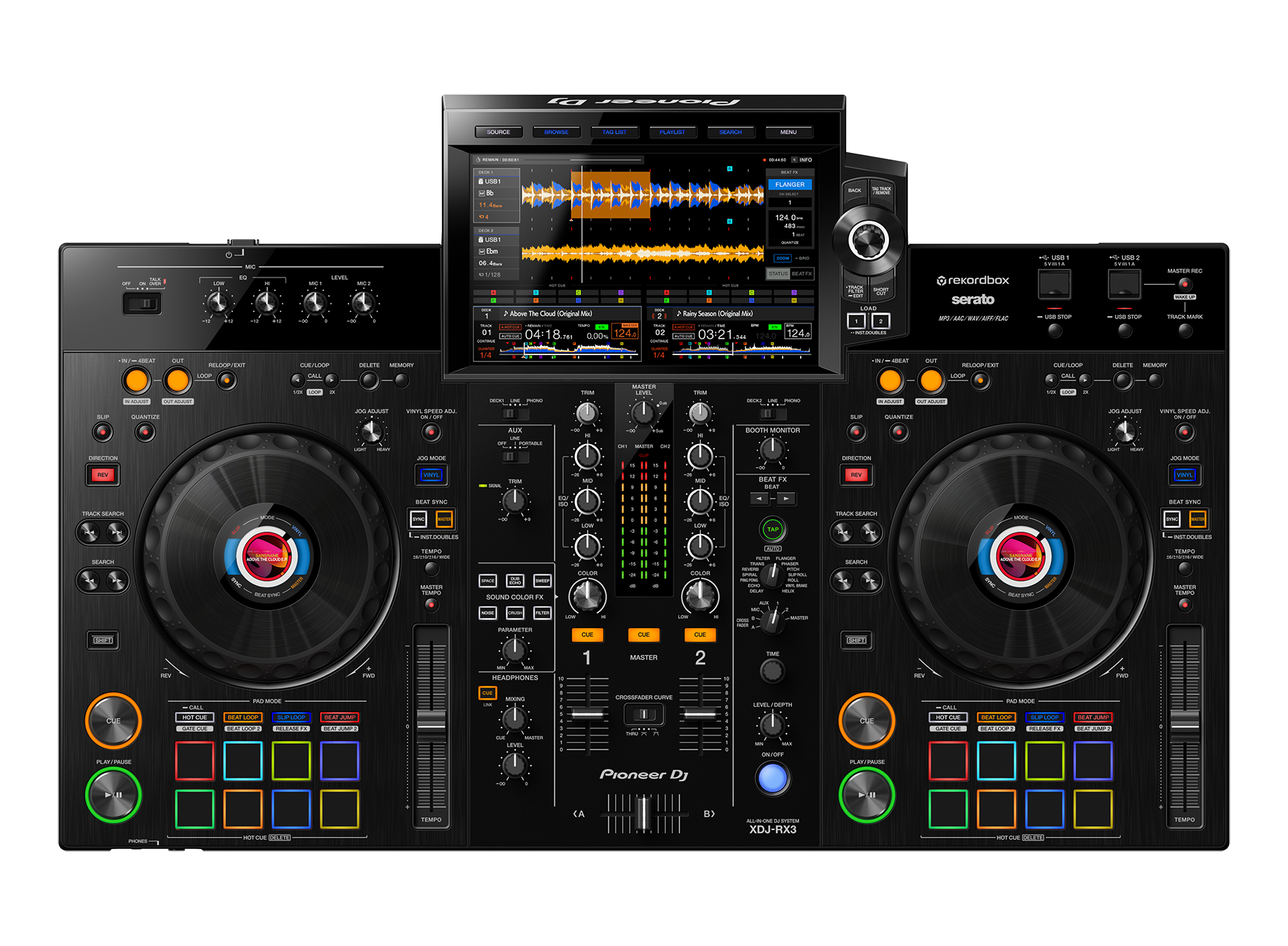
Large 10.1-Inch Touchscreen
The oversized touchscreen immediately changes the experience.
Browsing playlists feels effortless.
Waveforms are large and easy to read.
Track information is clear.
Searching music is quick.
Instead of feeling like you’re reading a spreadsheet through a keyhole, the display gives you space to breathe.
It’s one of those upgrades that seems unnecessary—right up until you use it.
Then suddenly every smaller screen feels like checking your email on a microwave.
Club-Style Layout
The layout closely resembles Pioneer DJ’s flagship professional equipment.
That matters more than many people realize.
Developing muscle memory on equipment similar to what you’ll encounter in clubs creates a much smoother transition when performing on larger systems.
Less thinking.
More mixing.
That’s always a good trade.
Professional Performance Pads
The performance pads provide quick access to hot cues, beat loops, beat jump, slip loop, sampler functions, and other creative tools.
Everything feels logically positioned, allowing advanced techniques without slowing down your workflow.
Because nobody wants to interrupt a great transition while playing hide-and-seek with the cue buttons.
Sound Color FX and Beat FX
Pioneer has built an excellent reputation for performance effects, and the RX3 continues that tradition.
Filters.
Echoes.
Reverbs.
Delays.
Creative transitions become simple without feeling overwhelming.
The effects are expressive enough to enhance a mix rather than dominate it.
Remember, effects should be seasoning—not the entire meal.
Professional Audio Quality
The XDJ-RX3 delivers clean audio performance suitable for clubs, weddings, festivals, corporate events, and professional mobile DJs.
Reliable sound isn’t glamorous.
But audiences definitely notice when it isn’t there.
Fortunately, Pioneer has built a reputation for getting this right.
Build Quality
If I had to describe the construction in one sentence, it would be this:
The XDJ-RX3 feels like equipment built by people who understand DJs occasionally travel with gear that experiences… let’s call it “enthusiastic handling.”
The chassis feels sturdy.
The controls inspire confidence.
The jog wheels are smooth and responsive.
Everything about the unit communicates durability without unnecessary bulk.
It’s premium without being pretentious.
Performance
Performance is where the RX3 quietly separates itself from many competitors.
Everything feels intentional.
The interface responds quickly.
Browsing remains smooth.
Transitions feel natural.
Effects integrate seamlessly.
Nothing seems included simply to inflate a specification sheet.
Instead, every feature supports one goal: Helping DJs perform confidently.
That’s exactly what professional equipment should do.
Who Should Buy the Pioneer DJ XDJ-RX3?
Mobile DJs
Fast setup, standalone operation, and professional connectivity make the RX3 an excellent companion for weddings, corporate functions, and private events.
Club DJs
Its familiar Pioneer workflow helps bridge the gap between practicing at home and performing in professional venues.
Serious Hobbyists
If you’re committed to improving your skills, this controller provides plenty of room to grow without quickly becoming outdated.
Content Creators
The clean interface and polished workflow also make it an excellent choice for recording mixes and producing online DJ content.
Who Might Want Something Else?
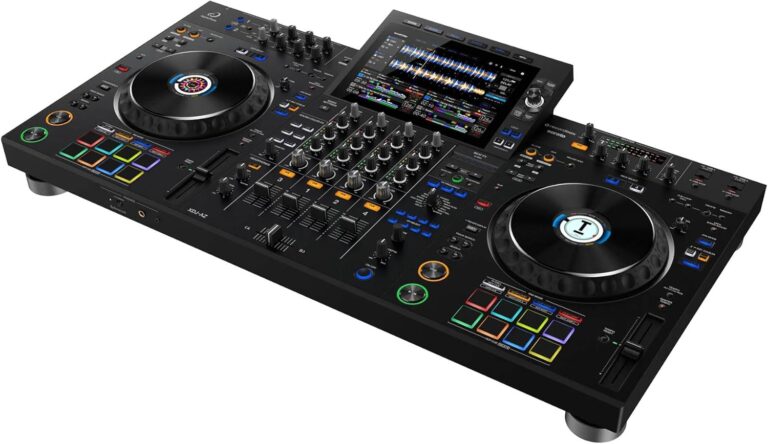
If you’re specifically looking for four-channel standalone mixing, you’ll probably want to consider larger flagship systems such as the AlphaTheta XDJ-AZ.
Likewise, complete beginners may prefer a more affordable controller like the Pioneer DJ DDJ-FLX4 before investing at this level.
The RX3 isn’t built to be everyone’s first controller.
It’s built to be someone’s long-term controller.
That’s a very different mission.
Pros
True Standalone Operation
Leave the laptop behind and enjoy a streamlined setup.
Excellent Touchscreen
Large, bright, responsive, and incredibly easy to navigate.
Club-Inspired Workflow
A fantastic stepping stone toward professional Pioneer club equipment.
Premium Audio Quality
Clean, reliable sound suitable for demanding environments.
Outstanding Build Quality
Feels solid and built to last.
Excellent Performance Effects
Creative without becoming complicated.
Cons
Two Channels Only
Some advanced DJs may eventually want four-channel flexibility.
Premium Price
Quality equipment always requires a meaningful investment.
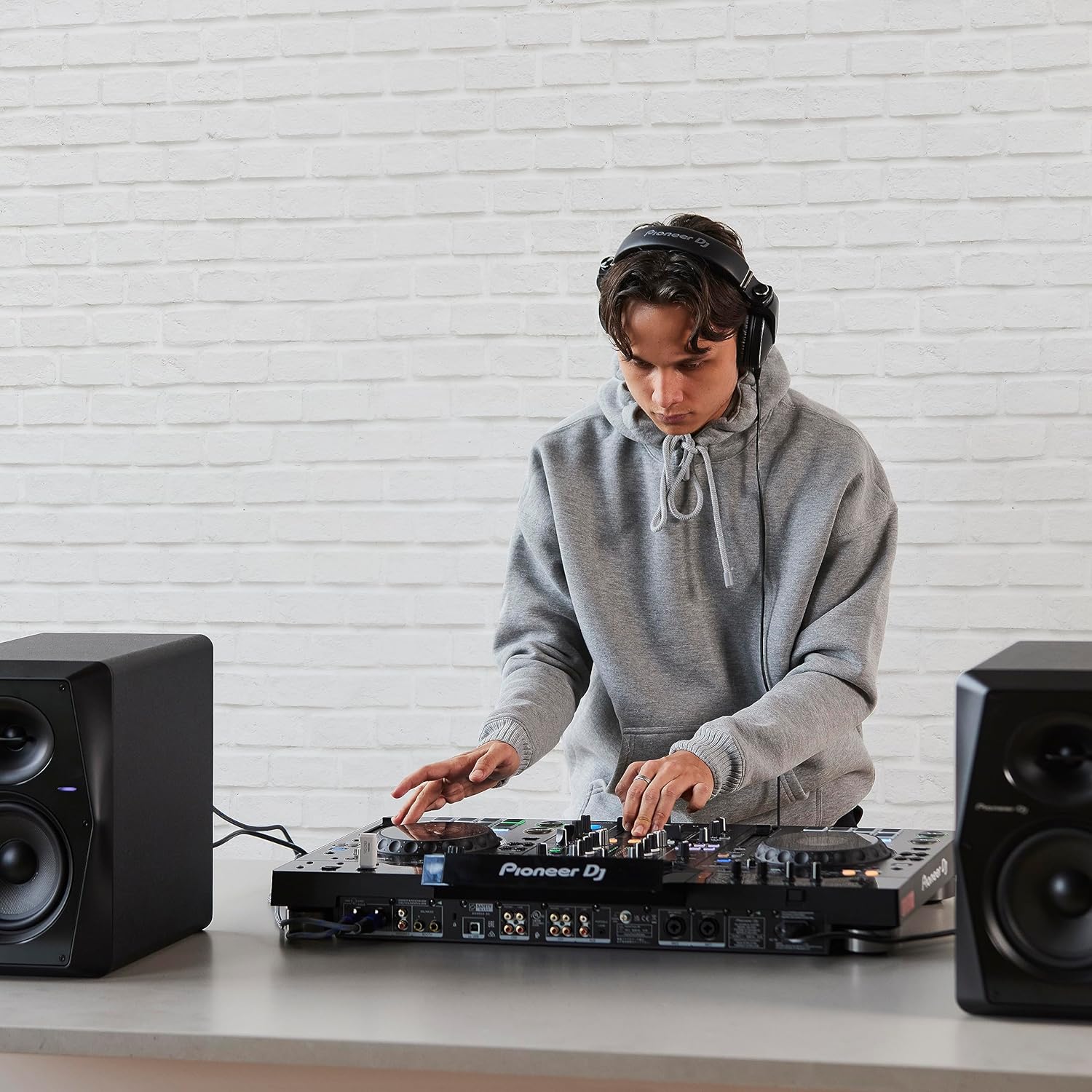
No Built-In Speakers
You’ll still need external monitoring for practice and performance.
Ratings
Build Quality
⭐⭐⭐⭐⭐ (5/5)
Premium construction that inspires confidence.
Ease of Use
⭐⭐⭐⭐⭐ (5/5)
One of the most intuitive standalone systems available.
Professional Performance
⭐⭐⭐⭐⭐ (5/5)
Designed with serious DJs in mind.
Mobile DJ Use
⭐⭐⭐⭐⭐ (5/5)
Excellent portability and professional connectivity.
Beginner Friendliness
⭐⭐⭐⭐☆ (4.5/5)
Approachable enough for motivated newcomers while offering room to grow.
Value for Money
⭐⭐⭐⭐⭐ (5/5)
A strong investment for DJs seeking long-term performance.
Overall Rating
⭐⭐⭐⭐⭐ (4.9/5)
Final Verdict
After evaluating everything the Pioneer DJ XDJ-RX3 has to offer, I believe it remains one of the most well-rounded standalone DJ systems available.
What stands out isn’t just its impressive touchscreen or polished design—it’s how confidently the entire system works together. The standalone workflow, responsive interface, club-inspired layout, excellent audio quality, and intuitive controls create an experience that feels remarkably close to using Pioneer equipment found in professional venues.
I also appreciate that the RX3 avoids unnecessary complexity. Every feature has a purpose, and the controller consistently encourages you to focus on your performance instead of fighting with technology. Whether you’re preparing for club gigs, entertaining hundreds of guests at weddings, or simply building your skills at home, it provides a dependable platform that can grow alongside your experience.
Yes, there are less expensive controllers available. There are also larger flagship systems with additional channels and expanded capabilities. But for many DJs, the RX3 strikes one of the best balances between portability, performance, and professional workflow.
Bottom line: If you’re looking for a standalone DJ system that delivers the feel of Pioneer club gear without requiring a full booth setup, the Pioneer DJ XDJ-RX3 is an exceptional choice. It’s the kind of equipment that rewards every hour you spend practicing—and if it inspires you to mix “just one more track” until two in the morning, don’t say I didn’t warn you.
Frequently Asked Questions
Is the Pioneer DJ XDJ-RX3 worth buying?
Absolutely. In my opinion, the Pioneer DJ XDJ-RX3 is one of the best investments for DJs who want professional club-style performance without spending flagship money. It delivers excellent sound quality, responsive jog wheels, a large touchscreen, and standalone capability, making it suitable for home studios, mobile DJs, and professional gigs.
Can I use the XDJ-RX3 without a laptop?
Yes.
One of the biggest advantages of the XDJ-RX3 is that it works completely standalone. Simply plug in a USB flash drive prepared with rekordbox and you’re ready to perform without carrying a computer.
Does the XDJ-RX3 work with rekordbox?
Yes.
The controller is designed around rekordbox and integrates seamlessly with it. You can prepare playlists, cue points, loops, beat grids, and performance settings in rekordbox before your performance.
Does the Pioneer DJ XDJ-RX3 support Serato DJ Pro?
Yes.
The XDJ-RX3 is compatible with Serato DJ Pro through supported firmware and licensing. This gives DJs the flexibility to choose between rekordbox and Serato depending on their workflow.
Is the XDJ-RX3 good for beginners?
Yes, although it’s aimed more at serious beginners and intermediate DJs.
If you’re completely new to DJing, there are less expensive options like the DDJ-FLX4. However, if your budget allows, starting with the RX3 means you’ll learn on equipment that closely resembles professional club setups.
What’s the difference between the XDJ-RX3 and the XDJ-RX2?
The RX3 improves on nearly every aspect:
Much larger 10.1-inch touchscreen
Faster processing
Improved user interface
Better waveform display
More Beat FX
Better browsing experience
Features borrowed from the flagship CDJ-3000 and DJM mixers
The upgrade is significant enough that most DJs consider it well worth the extra investment.
Can I connect external turntables or CDJs?
Yes.
The XDJ-RX3 includes external inputs that allow you to connect turntables, media players, or additional audio sources, making it a flexible centerpiece for a larger DJ setup.
How many channels does the XDJ-RX3 have?
The mixer section offers two playback decks with additional external input channels.
While it isn’t a true four-deck standalone player like some higher-end systems, it provides enough flexibility for most DJs performing at weddings, clubs, bars, and private events.
Is the touchscreen actually useful?
Very much so.
The 10.1-inch touchscreen is one of the standout features. It makes browsing music, viewing waveforms, setting loops, managing playlists, and navigating your library much faster than previous RX models.
Is the Pioneer DJ XDJ-RX3 portable?
Compared to a traditional CDJ setup, yes.
It’s much easier to transport than separate media players and a mixer. However, at around 20 pounds (9 kg), you’ll definitely want a quality flight case if you’re a mobile DJ.
Can I stream music directly on the XDJ-RX3?
Not as a standalone device.
The XDJ-RX3 primarily relies on locally stored music from USB drives or computer software. Streaming service support depends on the DJ software being used while connected to a computer.
Is the XDJ-RX3 suitable for professional DJs?
Definitely.
Many professional DJs use the RX3 for weddings, corporate events, bars, lounges, livestreams, and even club performances. Its familiar Pioneer layout makes transitioning to club-standard CDJ setups almost effortless.
Does the XDJ-RX3 have professional sound quality?
Yes.
The audio output is clean, powerful, and detailed. Whether you’re playing through studio monitors, powered speakers, or a professional PA system, the sound quality easily meets professional performance standards.
Should I buy the XDJ-RX3 or save for the XDJ-AZ?
That depends on your needs.
If you primarily play two-deck sets and want an outstanding standalone experience, the RX3 offers incredible value.
If you regularly perform with four decks, need more advanced connectivity, or want the latest flagship technology, the XDJ-AZ may justify its higher price.
 Skip to content