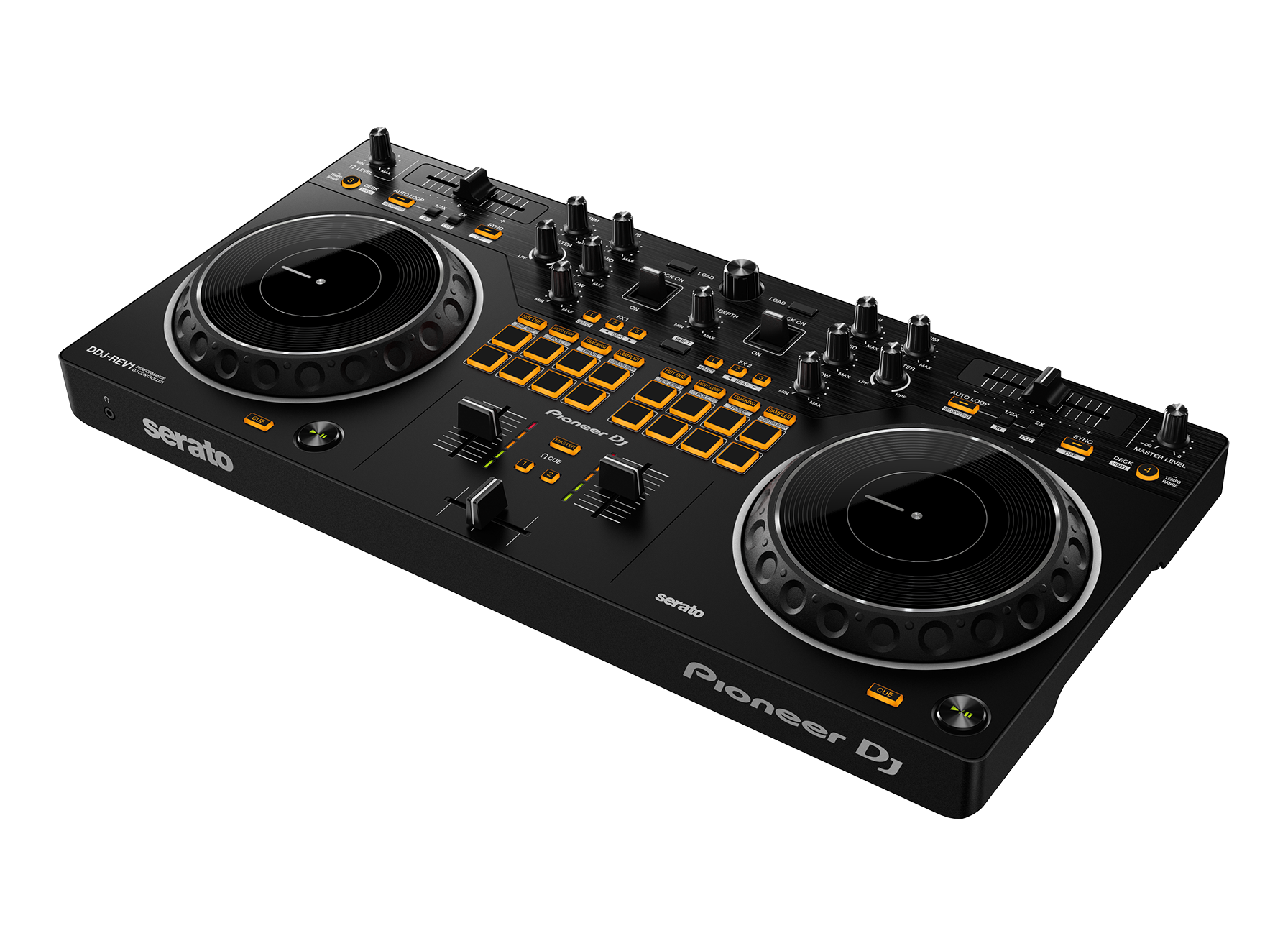
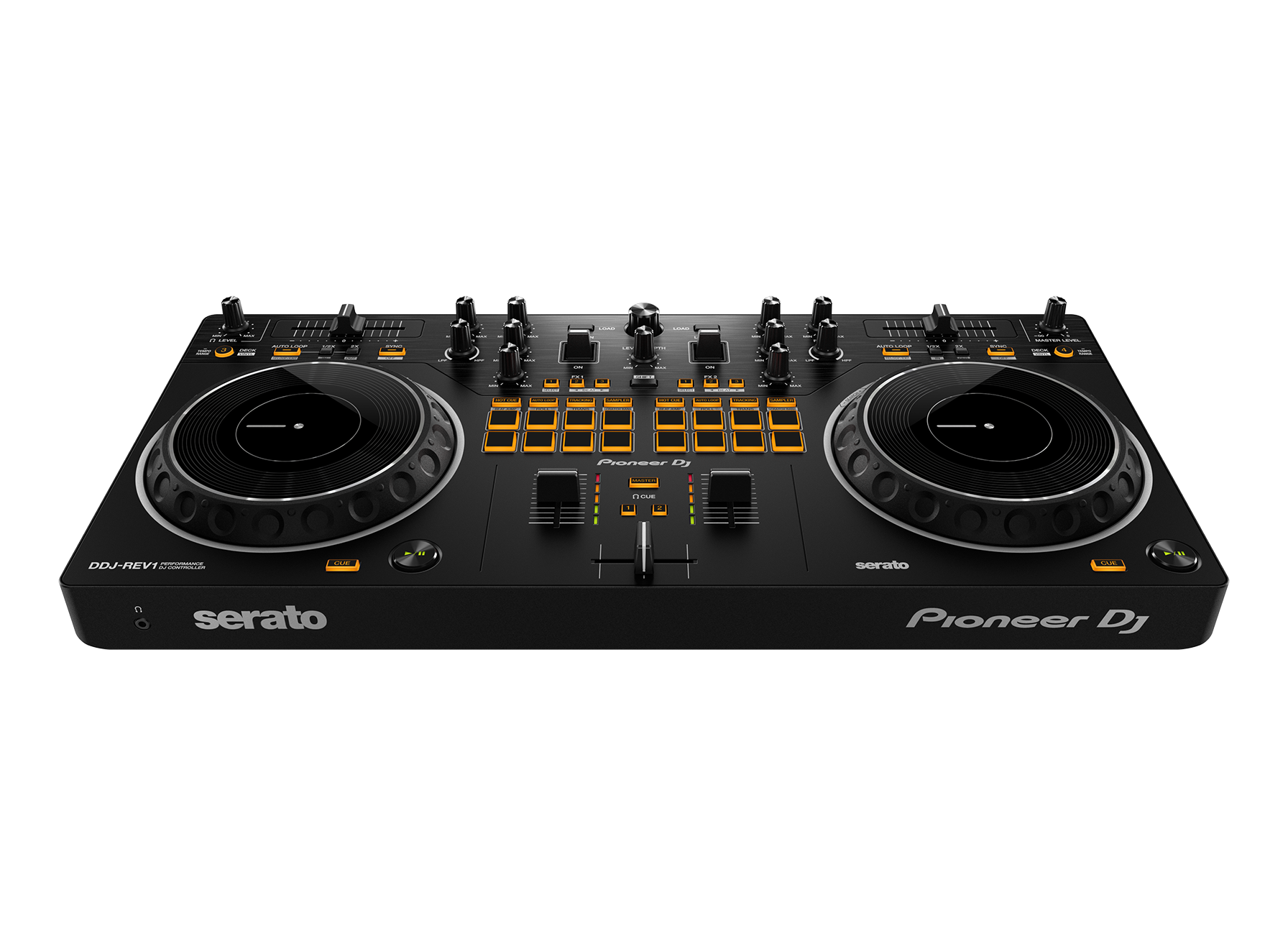
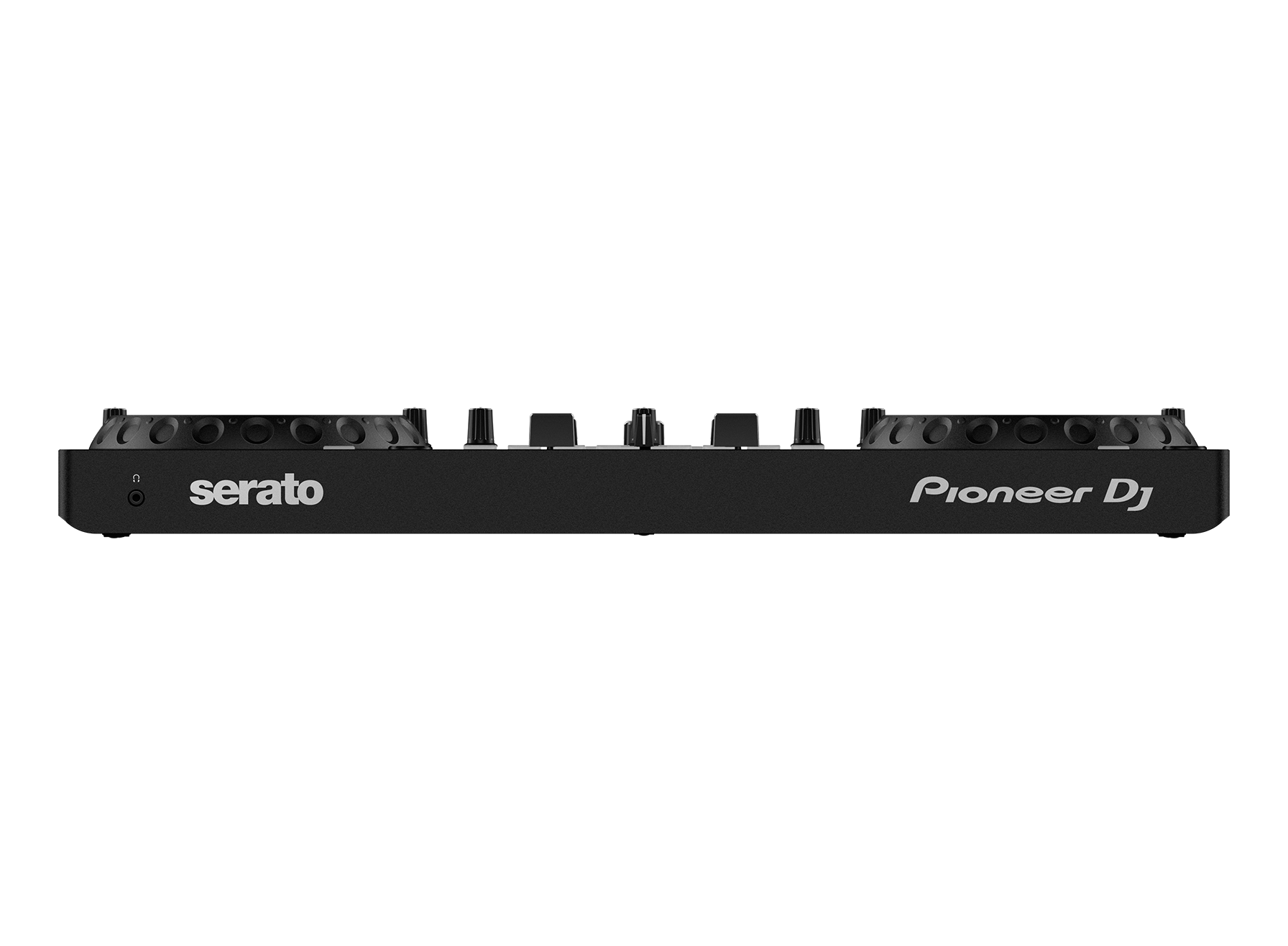
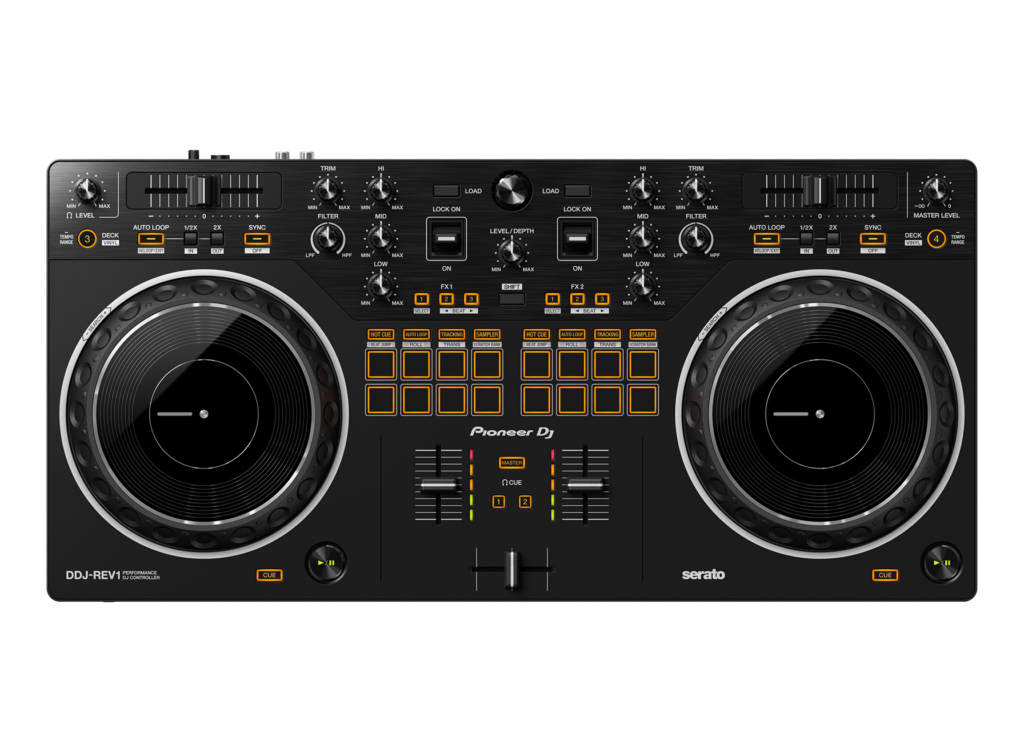
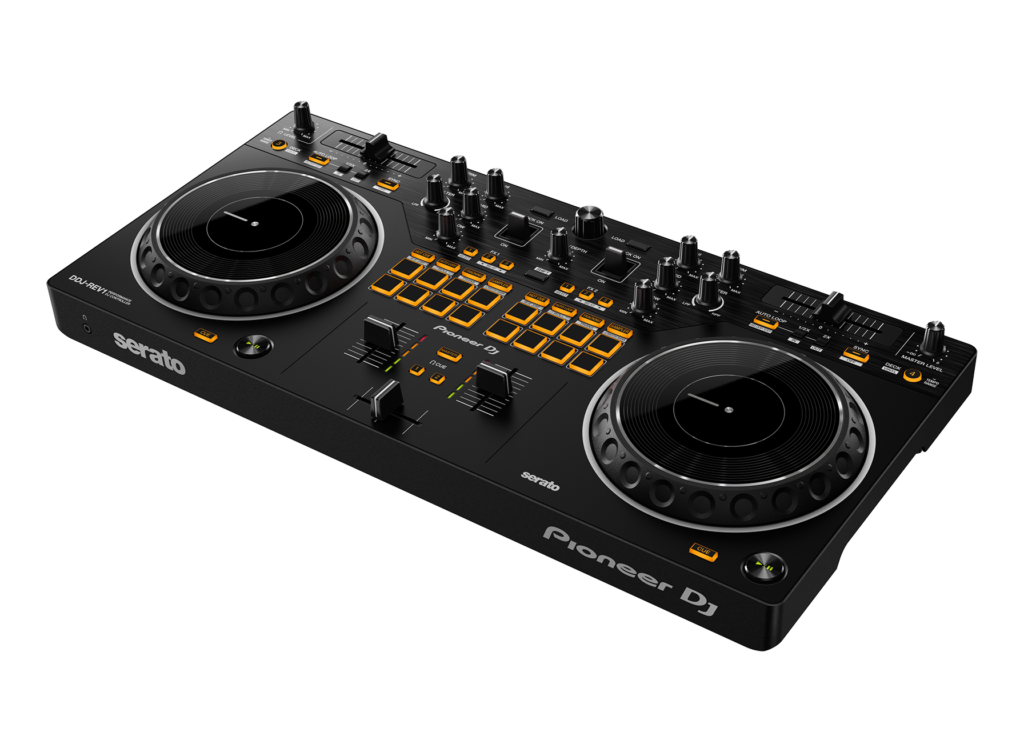
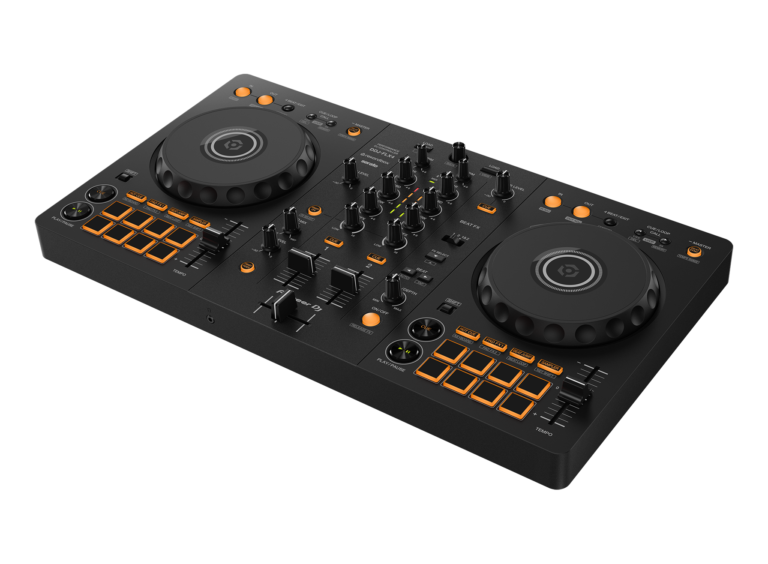
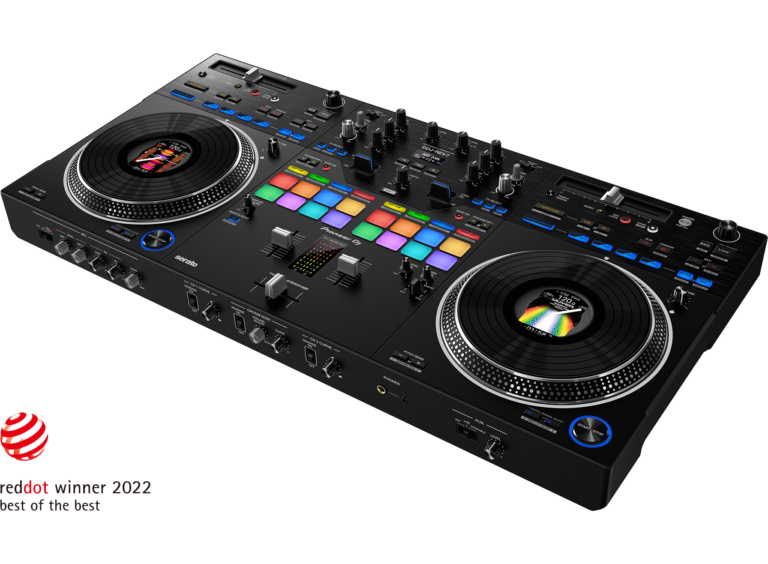
The Pioneer DJ DDJ-REV1 is one of the more interesting entry-level DJ controllers I’d recommend to beginners who specifically want to learn scratching, battle-style mixing, hip-hop techniques, and open-format performance.
It works with the free Serato DJ Lite software, has large 154 mm jog wheels, 60 mm horizontal tempo sliders, dedicated performance pads, FX levers, and a layout designed to resemble a battle DJ setup.
What I particularly like is that it doesn't feel like Pioneer DJ simply said, "Here is a cheap controller. Good luck."
Instead, the DDJ-REV1 gives beginners a taste of the workflow used by serious scratch DJs.
That is a much better way to learn if that's the direction you want to take your DJing.
Specs
Weight: 2.1 kg
Dimensions: 526 × 255.5 × 59.2 mm
Number of Channels: 2
Deck control: 4 decks
Pros
Excellent scratch-focused layout
Large jog wheels
Beginner-friendly
Free Serato DJ Lite
Compact and relatively light
Microphone support for streaming
Cons
Battle-style layout isn't for everyone
Two-channel controller
Serato DJ Pro costs extra
No built-in display
Not for every genre
If you’re looking for a DJ controller that lets you scratch, mix, juggle tracks, and generally behave like you know what you’re doing—even if you’re still figuring out what half the buttons do—the Pioneer DJ DDJ-REV1 deserves a very close look.
I like the philosophy behind this controller: instead of taking a traditional beginner DJ controller and simply shrinking everything down, Pioneer DJ built the DDJ-REV1 around a battle-style layout inspired by professional DJM-S mixers and PLX turntables. That makes it particularly interesting for hip-hop, scratch, open-format, and performance-focused DJs.
And yes, there is a learning curve.
But so is learning to DJ.
Nobody ever became a great DJ by staring lovingly at the Play button.
What is the DDJ-REV1?
The Pioneer DJ DDJ-REV1 is a 2-channel scratch-style DJ controller designed primarily for Serato DJ Lite.
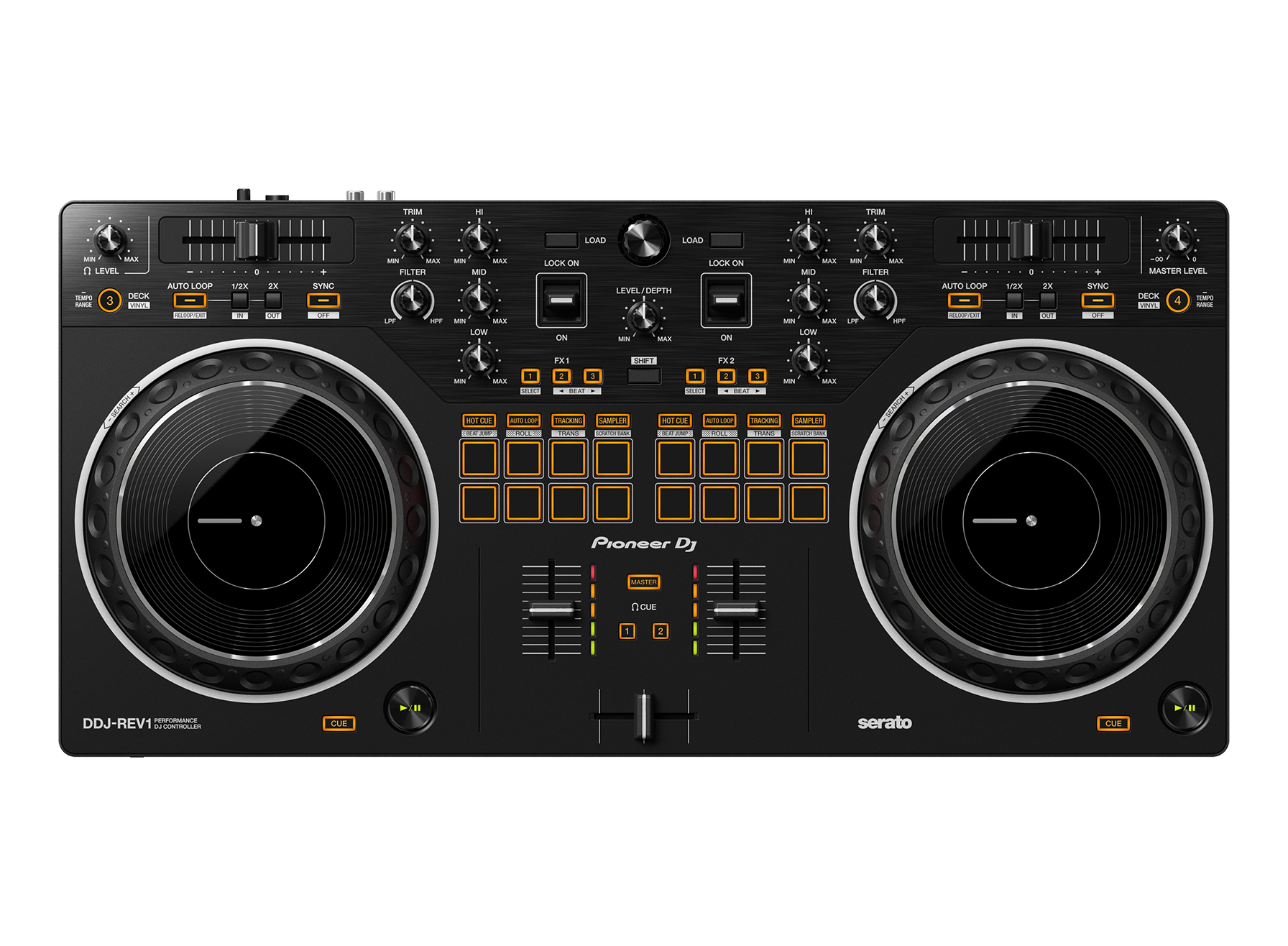
It uses a battle-style layout that emulates the basic arrangement of two PLX-style turntables and a DJM-S-style mixer. The tempo sliders are positioned horizontally above the decks, while the performance pads sit in the mixer section.
That sounds unusual if you’re coming from a conventional DJ controller.
And it is.
But unusual isn’t necessarily bad.
In this case, it’s the whole point.
The DDJ-REV1 is designed to encourage techniques such as:
Scratching
Beat juggling
Hot cue triggering
Sample triggering
Open-format mixing
Effects
Track transitions
Performance-based DJing
It also supports control of four decks in Serato DJ Lite, despite having two physical channels.
Key Features
Battle-Style Layout
This is the feature that immediately separates the DDJ-REV1 from many beginner controllers.
The layout is inspired by professional battle DJ equipment, including the positioning of the horizontal tempo sliders and performance pads.
For scratch DJs, that arrangement makes a lot of sense.
Instead of learning a traditional controller layout and then having to retrain your muscle memory later, you’re learning a workflow that’s much closer to the equipment used for battle-style performance.
Why I like it
For beginners interested in hip-hop and scratching, the layout feels purposeful rather than gimmicky.
It gives the controller a clear identity.
Large 154 mm Jog Wheels
The DDJ-REV1 uses 154 mm jog wheels, which are notably larger than the jog wheels found on some previous beginner controllers.
That’s important for scratching.
Small jog wheels can work, but larger wheels generally give you more physical space to manipulate the track.
And when you’re trying to learn scratching, having room to move your hand is rather useful.
Imagine learning to drive with a steering wheel the size of a dinner plate.
Actually, don’t.
The analogy got away from me.
60 mm Horizontal Tempo Sliders
The tempo sliders are 60 mm and positioned horizontally above the decks. Pioneer DJ specifically designed them to provide finer control than the shorter sliders found on some earlier controllers.
For traditional mixing, this may initially feel strange.
For the DDJ-REV1’s battle-style workflow, however, it makes sense.
It’s another example of Pioneer DJ building the controller around a specific style rather than trying to make one piece of hardware appeal to absolutely everybody.
Tracking Scratch Mode
One of my favorite features for beginners is Tracking Scratch.
The DDJ-REV1 includes a dedicated Tracking Scratch pad mode that can help automate the return of a track to its cue point after a scratch movement. Pioneer DJ designed the feature specifically to help users perform scratch techniques without having to master every aspect of manual record manipulation immediately.
This is particularly useful when you’re learning.
Because scratching can go from:
“That sounds easy.”
to:
“Why does my music now sound like a washing machine falling down the stairs?”
in approximately four seconds.
Scratch Bank
The controller also supports Scratch Bank, allowing scratch samples assigned in Serato DJ Lite or Pro to be loaded quickly from dedicated controls.
For performance DJs, this can make it easier to incorporate short vocal hits, sounds, and scratch samples into a routine.
It’s another feature that makes the REV1 more interesting than a basic two-channel beginner controller.
Performance Pads
The DDJ-REV1 provides several pad modes, including:
Hot Cue
Auto Loop
Tracking Scratch
Sampler
Trans
Scratch Bank
The official specifications list four hot cues along with manual and automatic looping capabilities.
This gives beginners plenty to experiment with without immediately needing expensive external hardware.
FX Lever
The controller uses performance-oriented FX levers rather than relying exclusively on conventional knobs.
You can apply effects by holding the lever in the appropriate position or locking it on.
I think this is particularly appealing for DJs who want to make effects part of their physical performance rather than simply twisting a knob and hoping something dramatic happens.
Serato DJ Lite Integration
The DDJ-REV1 is designed to work with Serato DJ Lite, which is available free of charge.
Pioneer DJ says you can download Serato DJ Lite, connect the controller via the included USB cable, and begin DJing without installing a dedicated audio driver because the controller is class compliant.
The controller can also work with Serato DJ Pro, but the paid software upgrade/license is separate.
That’s worth remembering when budgeting.
The controller may be affordable.
Your gear addiction, however, remains undefeated.
Pros
Excellent scratch-focused layout
The battle-style design is the biggest selling point for me.
It gives the DDJ-REV1 a workflow that’s genuinely different from conventional beginner controllers.
Large jog wheels
The 154 mm jog wheels provide useful space for scratching and manual track manipulation.
Great for beginners interested in hip-hop
If you’re specifically interested in scratch DJing, hip-hop, open-format, or battle-style techniques, this controller makes a lot of sense.
Free Serato DJ Lite
You don’t have to immediately purchase expensive DJ software to start using the controller.
Tracking Scratch is genuinely beginner-friendly
It’s a clever feature for learning scratch techniques while gradually developing your manual skills.
Compact and relatively light
The DDJ-REV1 measures approximately 526 × 255.5 × 59.2 mm and weighs around 2.1 kg.
That’s portable enough for bedroom setups, practice sessions, and smaller gigs.
Microphone support for streaming
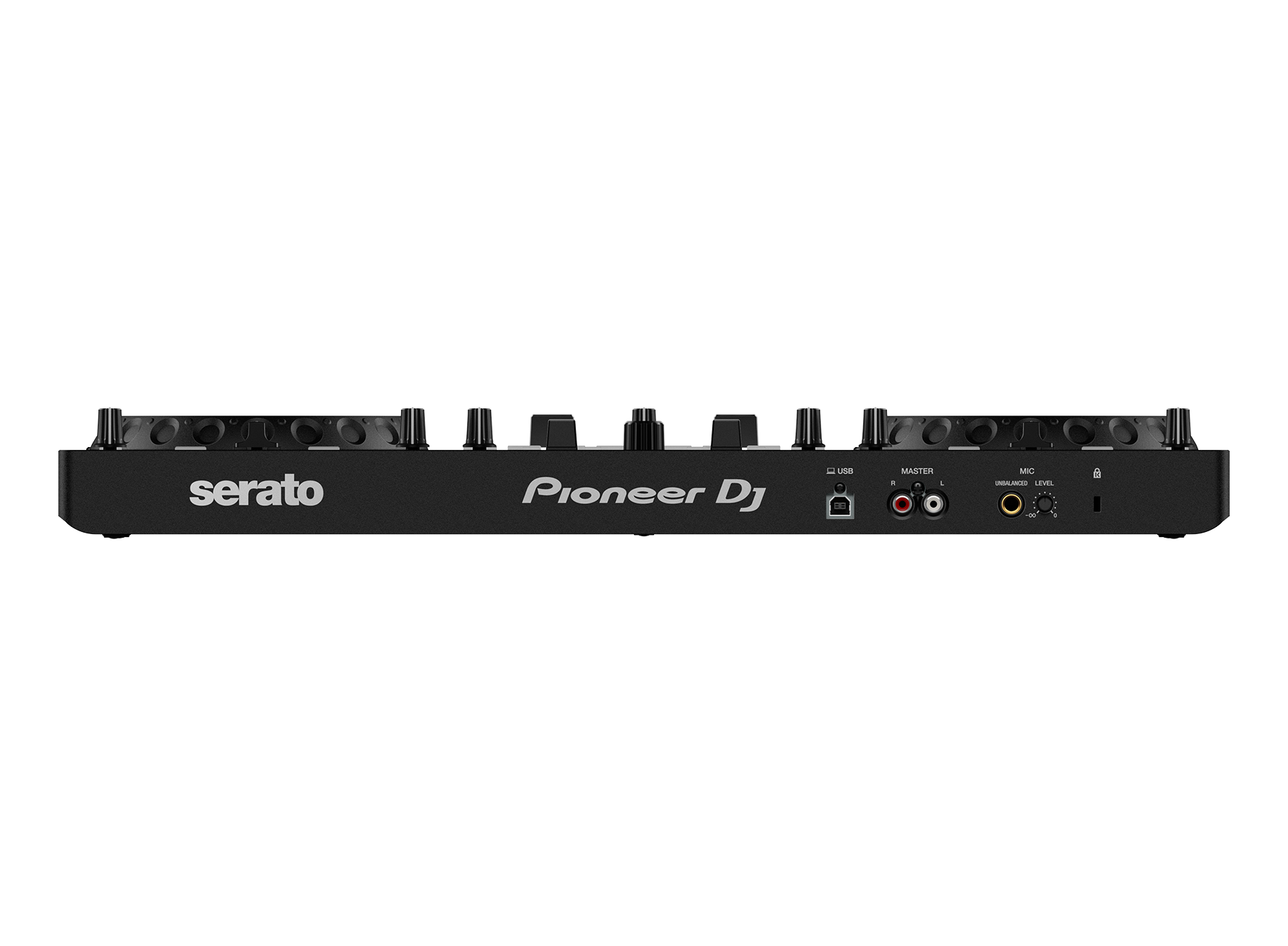
The controller includes a 1/4-inch microphone input and can mix microphone audio with the master output for streaming through the computer.
Cons
No product is perfect.
And if someone tells you their DJ controller is perfect, check whether they’re selling you the controller.
The battle-style layout isn’t for everyone
If you’re accustomed to traditional DJ controllers, the horizontal tempo sliders and reversed-style deck arrangement may require some adjustment.
It’s primarily a two-channel controller
Although it can control four decks in Serato, the physical controller itself is built around two channels.
If you need extensive four-channel physical control, you’ll want something more advanced.
Serato DJ Pro costs extra
Serato DJ Lite is free, but Serato DJ Pro isn’t included as a permanent upgrade.
Not the obvious choice for every genre
If your main goal is traditional house, techno, or EDM mixing with a conventional club-style workflow, I’d look at a more traditional controller.
No built-in display
The controller relies heavily on your computer and Serato interface.
That’s normal for this category, but DJs looking for a standalone experience should look elsewhere.
Specifications
Specification
Pioneer DJ DDJ-REV1
Controller type
2-channel scratch-style DJ controller
DJ software
Serato DJ Lite
Serato DJ Pro
Supported separately
Jog wheel size
154 mm
Tempo slider
60 mm horizontal
Deck control
4 decks
Pad modes
Hot Cue, Auto Loop, Tracking Scratch, Sampler
Microphone input
1 × 1/4-inch TS
Master output
RCA
Headphone output
3.5 mm stereo mini
USB
USB Type-B
Soundcard
24-bit/48 kHz
Frequency range
20 Hz–20 kHz
Weight
2.1 kg
Dimensions
526 × 255.5 × 59.2 mm
Power
USB bus powered
Ratings
Beginner Friendliness
⭐⭐⭐⭐☆ (4.5/5)
Once you understand the battle-style layout, the DDJ-REV1 is approachable.
Serato DJ Lite helps keep the software side relatively straightforward, and the controller provides plenty of physical controls to learn without becoming overwhelmingly complicated.
Scratching
⭐⭐⭐⭐⭐ (5/5)
This is where the DDJ-REV1 really earns its name.
The large jog wheels, battle-style layout, Tracking Scratch mode, Scratch Bank functionality, and performance-focused controls make it one of the more compelling choices for beginners who specifically want to learn scratching.
Hip-Hop DJing
⭐⭐⭐⭐⭐ (5/5)
If hip-hop is your thing, I’d put this controller near the top of the beginner shortlist.
The design is clearly influenced by battle DJ culture rather than generic bedroom mixing.
Open-Format DJing
⭐⭐⭐⭐☆ (4.5/5)
The performance pads, effects, hot cues, sampler functions, and Serato integration make the REV1 capable of much more than basic beatmatching.
Electronic Music Mixing
⭐⭐⭐⭐☆ (4/5)
It can absolutely handle electronic music.
However, DJs who primarily mix house, techno, or trance may prefer a conventional controller layout.
Portability
⭐⭐⭐⭐☆ (4.5/5)
At roughly 2.1 kg, the DDJ-REV1 is relatively easy to move around.
It’s not something I’d throw into a backpack alongside a laptop and three pairs of headphones unless I enjoy carrying my entire studio on one shoulder.
But it’s certainly portable.
Streaming
⭐⭐⭐⭐☆ (4/5)
The microphone input and ability to mix microphone audio into the master signal make the DDJ-REV1 useful for streaming and content creation.
Build and Controls
⭐⭐⭐⭐☆ (4/5)
The controller feels purpose-built around performance rather than simply being a collection of knobs and buttons.
My main reservation isn’t about functionality; it’s that DJs looking for a more substantial professional controller will eventually want something larger and more sophisticated.
Overall rating
⭐⭐⭐⭐☆ (4.4/5)
Who Should Buy the Pioneer DJ DDJ-REV1?
I’d strongly consider the DDJ-REV1 if you’re:
A beginner learning to DJ
Interested in scratching
Into hip-hop or battle DJing
An open-format DJ
Interested in learning Serato
Looking for an affordable first controller
A content creator who wants DJing and streaming capabilities
Interested in developing performance techniques
The strongest reason to buy it is simple:
You don’t just want to mix songs. You want to perform.
That’s where this controller starts to make a lot of sense.
Primarily want advanced professional club functionality
The DDJ-REV1 isn’t trying to be everything.
And honestly, I’m glad it isn’t.
Is the Pioneer DJ DDJ-REV1 Good for Beginners?
Yes—especially the right kind of beginner.
If you’re completely new to DJing and want to learn conventional mixing, there are other beginner controllers that may feel more immediately familiar.
But if you’re starting because you’ve watched a scratch DJ perform and thought, “I want to do THAT,” the DDJ-REV1 becomes considerably more attractive.
The layout is designed around that style from the beginning.
That means your first DJ controller can also become your first introduction to performance-oriented DJing.
Is the Pioneer DJ DDJ-REV1 Good for Scratching?
Absolutely.
This is arguably the biggest reason to choose it.
The 154 mm jog wheels, battle-style arrangement, Tracking Scratch mode, Scratch Bank, performance pads, and FX controls all point toward scratch and performance DJing.
It won’t magically turn you into a turntablist.
Sadly, Pioneer hasn’t invented the “Become DJ Jazzy Jeff Overnight” button yet.
You still need practice.
But the hardware gives you a much better starting point.
Is the DDJ-REV1 Worth Buying?
Yes, particularly if you’re a beginner interested in scratching, hip-hop, open-format DJing, or performance.
The DDJ-REV1 isn’t the most conventional beginner controller on the market.
That’s precisely why I like it.
Pioneer DJ took the battle-DJ concept and translated it into a relatively accessible controller. The result is a machine that encourages you to do more than simply press play, move a crossfader, and call yourself a DJ because your neighbor heard three songs in a row.
The combination of the battle-style layout, large jog wheels, performance pads, Tracking Scratch, Scratch Bank, Serato DJ Lite integration, and portable design makes it an especially compelling option for aspiring scratch DJs.
If scratching is high on your list, I’d put the DDJ-REV1 on your shortlist.
Frequently Asked Questions
Is the Pioneer DJ DDJ-REV1 good for beginners?
Yes. The DDJ-REV1 is designed to work with Serato DJ Lite and provides a relatively accessible introduction to mixing, scratching, hot cues, loops, samples, and effects. Its strongest appeal is to beginners who want to learn performance-oriented DJing.
Does the Pioneer DJ DDJ-REV1 come with Serato DJ Lite?
Yes. The DDJ-REV1 is designed for use with the free Serato DJ Lite software. Pioneer DJ provides software information and download guidance for the controller.
Can the DDJ-REV1 work with Serato DJ Pro?
Yes. The DDJ-REV1 supports Serato DJ Pro, but a paid license or subscription is required for the Pro software.
Is the DDJ-REV1 good for scratching?
Yes. Scratching is one of the controller’s primary strengths. It features 154 mm jog wheels, a battle-style layout, Tracking Scratch, Scratch Bank functionality, and performance pads designed with scratch and performance DJs in mind.
What size are the DDJ-REV1 jog wheels?
The Pioneer DJ DDJ-REV1 has 154 mm jog wheels.
Can the DDJ-REV1 control four decks?
Yes. Although the controller has two physical channels, Pioneer DJ specifies control of four decks through Serato.
Does the DDJ-REV1 have a microphone input?
Yes. It has one 1/4-inch TS microphone input. Pioneer DJ also highlights microphone mixing for streaming, allowing your voice to be combined with the master audio and routed through the computer.
Does the DDJ-REV1 have Bluetooth?
The key connection for DJ operation is USB to a PC or Mac. The official specifications list a USB Type-B connection and do not list Bluetooth as a controller feature.
Is the DDJ-REV1 standalone?
No. The DDJ-REV1 is a computer-based DJ controller. You’ll use it with compatible DJ software such as Serato DJ Lite rather than loading music directly onto the controller.
Can I use the DDJ-REV1 without installing an audio driver?
Pioneer DJ describes the DDJ-REV1 as class compliant, meaning you can connect it to a PC or Mac without needing a dedicated audio driver.
Does the DDJ-REV1 have a built-in screen?
No. The controller relies on the connected computer and DJ software for the main visual interface.
Is the DDJ-REV1 good for hip-hop?
Yes. In fact, hip-hop and scratch-oriented DJing are among the controller’s strongest use cases. Pioneer DJ specifically positions the DDJ-REV1 around battle-style layouts and scratch/open-format DJs.
Can I use the DDJ-REV1 for house and EDM?
Yes. You can use it for house, EDM, pop, and other genres. However, the battle-style layout is particularly geared toward scratch and performance techniques, so DJs who prefer conventional club-style mixing may prefer a different controller.
How much does the DDJ-REV1 weigh?
The controller weighs approximately 2.1 kg (4.6 lb).
Is the Pioneer DJ DDJ-REV1 worth buying?
For a beginner who wants to learn scratching, hip-hop, battle-style techniques, or open-format performance, yes. Its specialized layout and performance features give it an advantage over generic beginner controllers. If you want a conventional club-style workflow or standalone operation, I’d choose something else.
 Skip to content